Optimizing the WordPress Admin: A Comprehensive Guide to Removing Yoast SEO Upsells

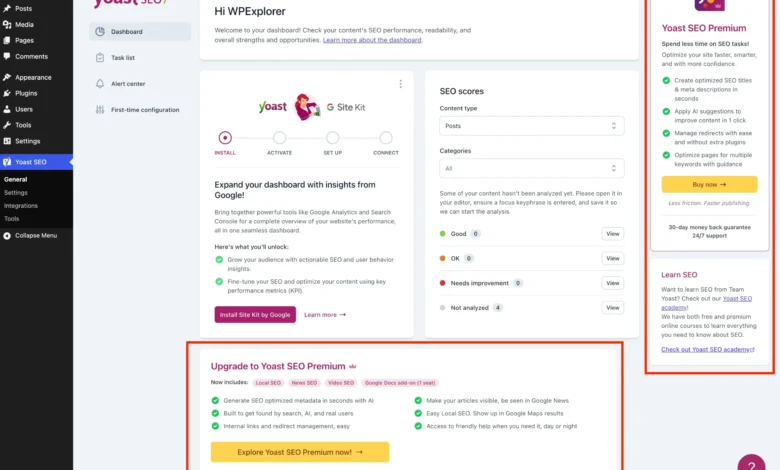
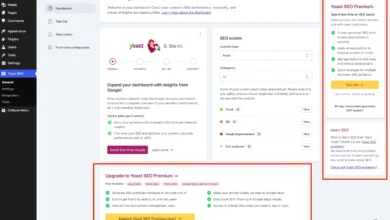
Yoast SEO stands as a colossus in the WordPress ecosystem, a testament to its powerful suite of features designed to enhance search engine visibility. With millions of active installations, its free version provides invaluable tools for content optimization, sitemap management, and improved search result appearance. However, its widespread adoption also highlights a persistent point of contention for many users: the pervasive presence of premium upgrade banners, additional administrative menu pages, dashboard widgets, and sidebar advertisements, collectively termed "upsells." These promotional elements, while a vital component of the plugin’s freemium business model, can significantly detract from the user experience, particularly for web developers managing multiple client sites or anyone desiring a streamlined, distraction-free WordPress administration interface.
The core issue stems from the freemium model, a common strategy in the software industry where basic functionality is offered free of charge, with advanced features and dedicated support reserved for paying customers. For plugin developers, this model provides a sustainable pathway for continuous development, security updates, and customer service. Yoast, as a market leader, invests heavily in research and development, necessitating robust revenue streams. Consequently, the free version often serves as an extensive advertisement for its premium counterpart, which offers advanced capabilities such as AI-generated titles and descriptions, a redirect manager, and support for multiple focus keywords. While purchasing Yoast SEO Premium is the most straightforward method to eliminate these prompts, not all users require these additional features or are prepared to invest in them. This article delves into a comprehensive technical approach to purge the WordPress admin of these promotional elements, offering a cleaner interface for those committed to the free version.
The Genesis of Distraction: Understanding Plugin Monetization
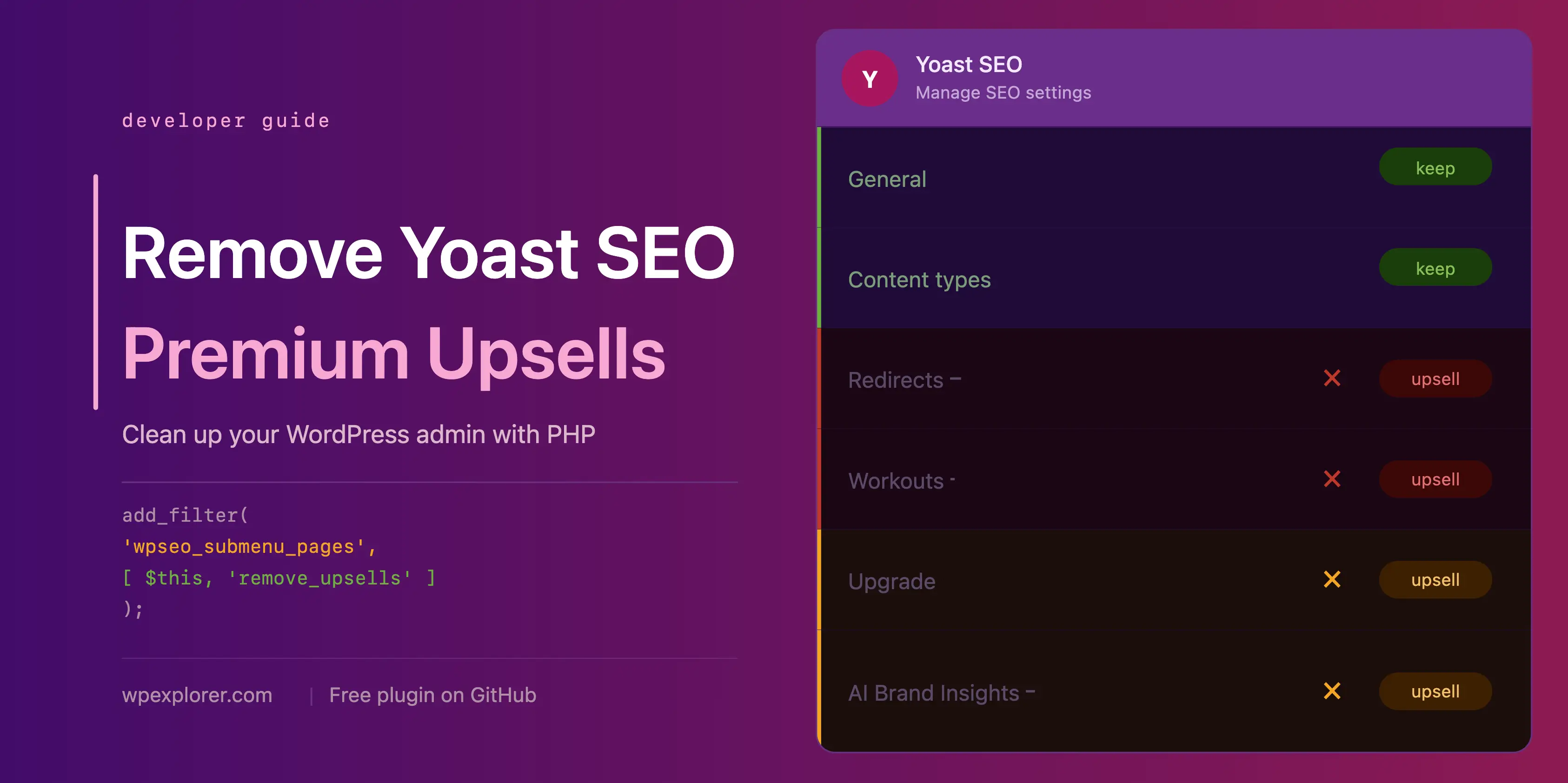
The proliferation of upsells within the free tier of popular WordPress plugins like Yoast SEO is a direct outcome of the evolving digital economy and the need for sustainable open-source development. Historically, many WordPress plugins operated on a purely volunteer or donation-based model. However, as the platform matured and became a cornerstone for millions of websites, the demands for professional-grade features, rigorous testing, and continuous security updates grew exponentially. This shift necessitated a more formalized business structure, leading to the widespread adoption of the freemium model.
From a developer’s perspective, upsells are crucial for funding the extensive resources required to maintain and improve a plugin of Yoast SEO’s complexity. Each new WordPress update, each change in search engine algorithms, and each user support request represents an ongoing investment. Without a clear path to monetization, such comprehensive development would be unsustainable. However, from the perspective of a website owner or an agency managing numerous client sites, the constant barrage of upgrade prompts can be counterproductive. It clutters the interface, slows down workflow, and can create an unprofessional impression for clients accessing their site’s backend. This tension between developer needs and user experience forms the backdrop for the technical solutions explored herein.
A Structured Approach: Setting Up the PHP Class
To systematically address the various upsell components, a well-organized PHP class is recommended. This approach encapsulates all the necessary code, preventing global namespace pollution and ensuring maintainability. The class should be integrated into the WordPress environment, ideally within a child theme’s functions.php file, a dedicated code snippets plugin, or as an MU (Must-Use) plugin. The latter two options offer better portability and ensure the code runs before other plugins.

The foundational PHP class structure includes checks to ensure that Yoast SEO is active and that the premium version is not installed, preventing conflicts or unnecessary execution. This intelligent conditional loading is critical for robustness and performance.
if ( ! class_exists( 'WPEX_Remove_Yoast_SEO_Upsells' ) )
    class WPEX_Remove_Yoast_SEO_Upsells
        public function __construct()
            if ( ! defined( 'WPSEO_VERSION' )
        // All methods will be added here

    new WPEX_Remove_Yoast_SEO_Upsells;
This initial setup provides a secure and organized container for all subsequent modifications, ensuring that the enhancements are applied only when relevant.
Streamlining Navigation: Eliminating Redundant Admin Pages
Yoast SEO registers several admin pages that are functionally inert in the free version, serving merely as gateways to upgrade prompts. Pages such as "Redirects" and "Workouts" exemplify this, offering no utility without a premium license. These contribute to menu clutter and a suboptimal user experience.
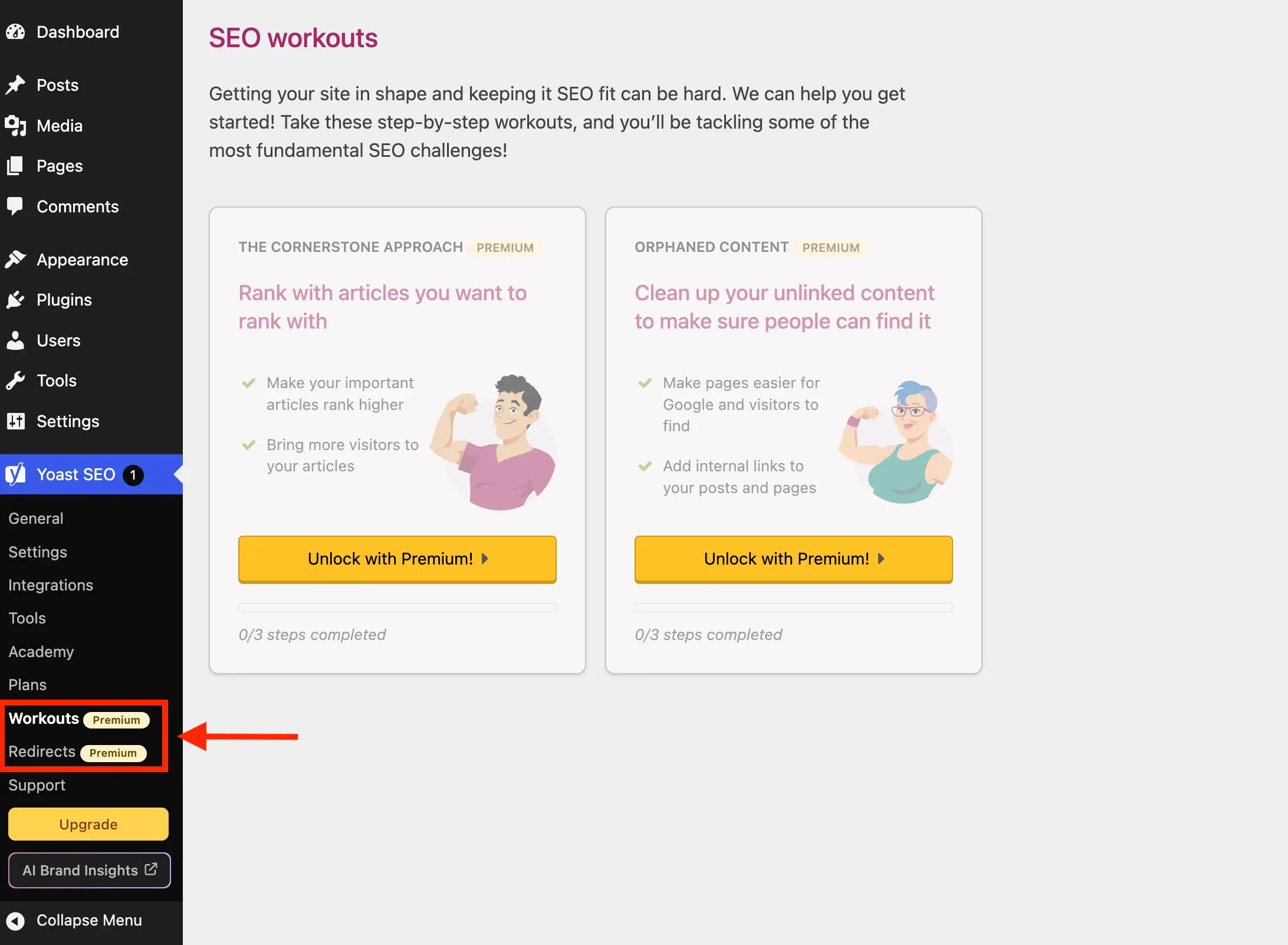
The wpseo_submenu_pages filter offers a robust mechanism to intercept and modify the list of registered submenu pages. By hooking into this filter with a high priority (PHP_INT_MAX), the solution ensures it runs after Yoast SEO has fully populated its menu structure. A sophisticated approach involves detecting the "premium badge" HTML that Yoast injects into the menu title, allowing for dynamic removal of any page flagged as premium, rather than relying on a static list of page slugs. This method enhances future compatibility, although it might require adjustments if Yoast alters its badge implementation.
For network-wide installations, the wpseo_network_submenu_pages filter is similarly utilized to ensure consistency across multisite environments.
Beyond premium-locked pages, Yoast SEO also includes several pages that, while accessible in the free version, offer limited day-to-day utility for most users and primarily serve promotional purposes:
- Plans: A page dedicated to comparing and purchasing Yoast’s premium offerings and add-ons. While it may include a link to a free plugin, its primary function is sales.
- Academy: Links to Yoast’s external online learning platform. While some free courses exist, they require an external account and open in new browser tabs, offering little direct dashboard integration.
- Support: A collection of external links to Yoast’s help resources. These links can easily be bookmarked, rendering the dedicated menu page redundant.
These "unnecessary" pages can be explicitly targeted for removal by their slugs within the same remove_premium_admin_pages method, alongside the premium-badged pages. This combined approach offers comprehensive menu de-cluttering.

// Inside __construct()
add_filter( 'wpseo_submenu_pages', [ $this, 'remove_premium_admin_pages' ], PHP_INT_MAX );
add_filter( 'wpseo_network_submenu_pages', [ $this, 'remove_premium_admin_pages' ], PHP_INT_MAX );

// Method outside __construct()
public function remove_premium_admin_pages( array $pages ): array
    $pages_to_remove = [
        'wpseo_upgrade_sidebar', // The 'Upgrade' button
        'wpseo_licenses', // Often associated with premium, or an upsell
        'wpseo_page_academy',
        'wpseo_page_support',
        'wpseo_redirects',
        'wpseo_workouts',
    ];
    return array_filter( $pages, function( $page ) use ( $pages_to_remove )
        // Remove pages flagged with the premium badge
        if ( isset( $page[2] ) && str_contains( $page[2], 'yoast-premium-badge' ) )
            return false;

        // Remove other unnecessary pages by slug
        if ( isset( $page[4] ) && in_array( $page[4], $pages_to_remove, true ) )
            return false;

        return true;
     );
De-cluttering the User Interface: Removing Upsell Buttons and Widgets
Beyond menu pages, Yoast SEO integrates upsells into other prominent areas of the WordPress admin: the sidebar navigation, the admin toolbar, and the main dashboard.
Admin Toolbar and Sidebar Buttons:
The "Upgrade" button and the "AI Brand Insights" button frequently appear in the sidebar and the top admin toolbar. While the "Upgrade" button can be removed via the wpseo_submenu_pages filter (as seen in the pages_to_remove array above), the "AI Brand Insights" button presents a unique challenge. Yoast registers it with PHP_INT_MAX priority on the same filter, making it difficult to reliably remove using the filter alone. A direct approach using WordPress’s remove_submenu_page function, hooked into admin_menu, is necessary:
// Inside __construct()
add_action( 'admin_menu', [ $this, 'remove_upsell_submenu_pages' ], PHP_INT_MAX );

// Method outside __construct()
public function remove_upsell_submenu_pages(): void
    remove_submenu_page( 'wpseo_dashboard', 'wpseo_brand_insights' );
For the admin toolbar, both buttons require a separate removal process via the admin_bar_menu hook:

// Inside __construct()
add_action( 'admin_bar_menu', [ $this, 'remove_admin_bar_links' ], PHP_INT_MAX );

// Method outside __construct()
public function remove_admin_bar_links( WP_Admin_Bar $wp_admin_bar ): void
    $wp_admin_bar->remove_node( 'wpseo-get-premium' );
    $wp_admin_bar->remove_node( 'wpseo_brand_insights' );
The Yoast SEO Dashboard Widget:
The dashboard widget, split between SEO scores and recent Yoast.com blog posts, poses a performance concern. It initiates an uncached HTTP request to yoast.com/feed/widget/ upon every dashboard load, transmitting WordPress and PHP version information. This overhead and data transmission are often deemed unnecessary.
Removal involves two steps:
- Using
remove_meta_boxhooked intowp_dashboard_setupto eliminate the widget itself. - Using
admin_enqueue_scriptsto dequeue its associated scripts and styles, preventing unnecessary asset loading.
// Inside __construct()
add_action( 'wp_dashboard_setup', [ $this, 'remove_dashboard_widget' ], PHP_INT_MAX );
add_action( 'admin_enqueue_scripts', [ $this, 'remove_dashboard_widget_assets' ], PHP_INT_MAX );

// Methods outside __construct()
public function remove_dashboard_widget(): void
    remove_meta_box( 'wpseo-dashboard-overview', 'dashboard', 'normal' );


public function remove_dashboard_widget_assets(): void
    $current_screen = get_current_screen();
    if ( ! ( $current_screen instanceof WP_Screen && $current_screen->id === 'dashboard' ) )
        return;

    wp_dequeue_script( 'yoast-seo-dashboard-widget' );
    wp_dequeue_style( 'yoast-seo-wp-dashboard' );
    wp_dequeue_style( 'yoast-seo-monorepo' );
Concealing Promotional Banners and Locked Fields
Yoast SEO also injects promotional banners and locked premium fields directly into its settings pages and post editor interfaces. These are often rendered as JavaScript components, making direct PHP-based removal challenging. The most effective method is to hide them using carefully crafted CSS, leveraging unique class names or structural selectors.

Admin Page Banners and Sticky Sidebars:
These include upgrade advertisements at the bottom of pages and sticky sidebars promoting premium features. Due to their JS rendering, CSS is applied inline using wp_add_inline_style. Specific, albeit potentially fragile, CSS selectors are employed to target these elements based on their position and attributes.
Locked Premium Admin Fields:
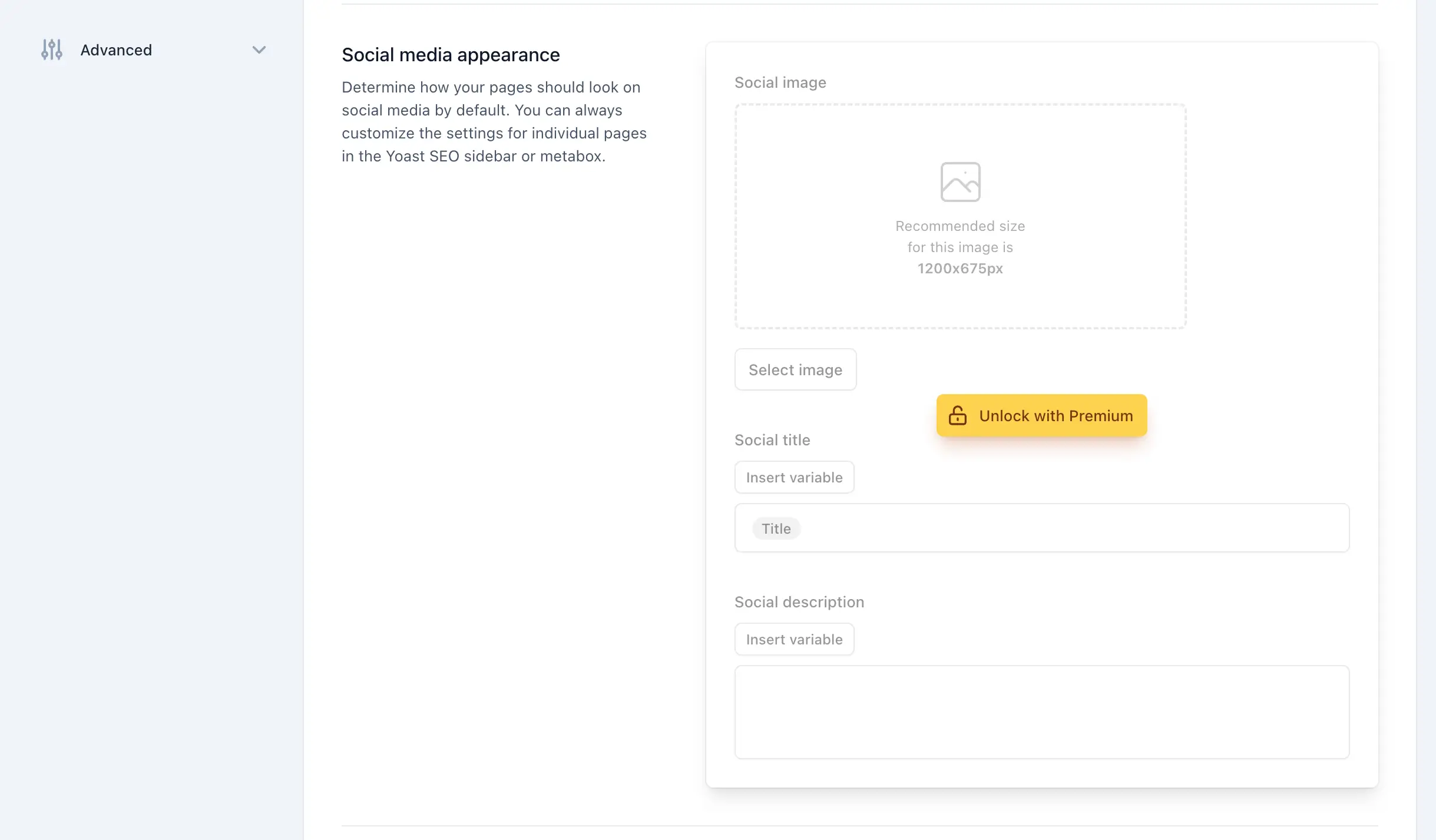
Throughout Yoast SEO’s settings, fields and entire sections are often "locked" behind a premium upgrade. These add visual noise without offering functionality. Yoast provides yst-button--upsell for individual locked fields and yst-feature-upsell for entire sections, allowing for more precise CSS targeting. These selectors are added to the inline CSS string.
Integrations Page Upsell Cards:
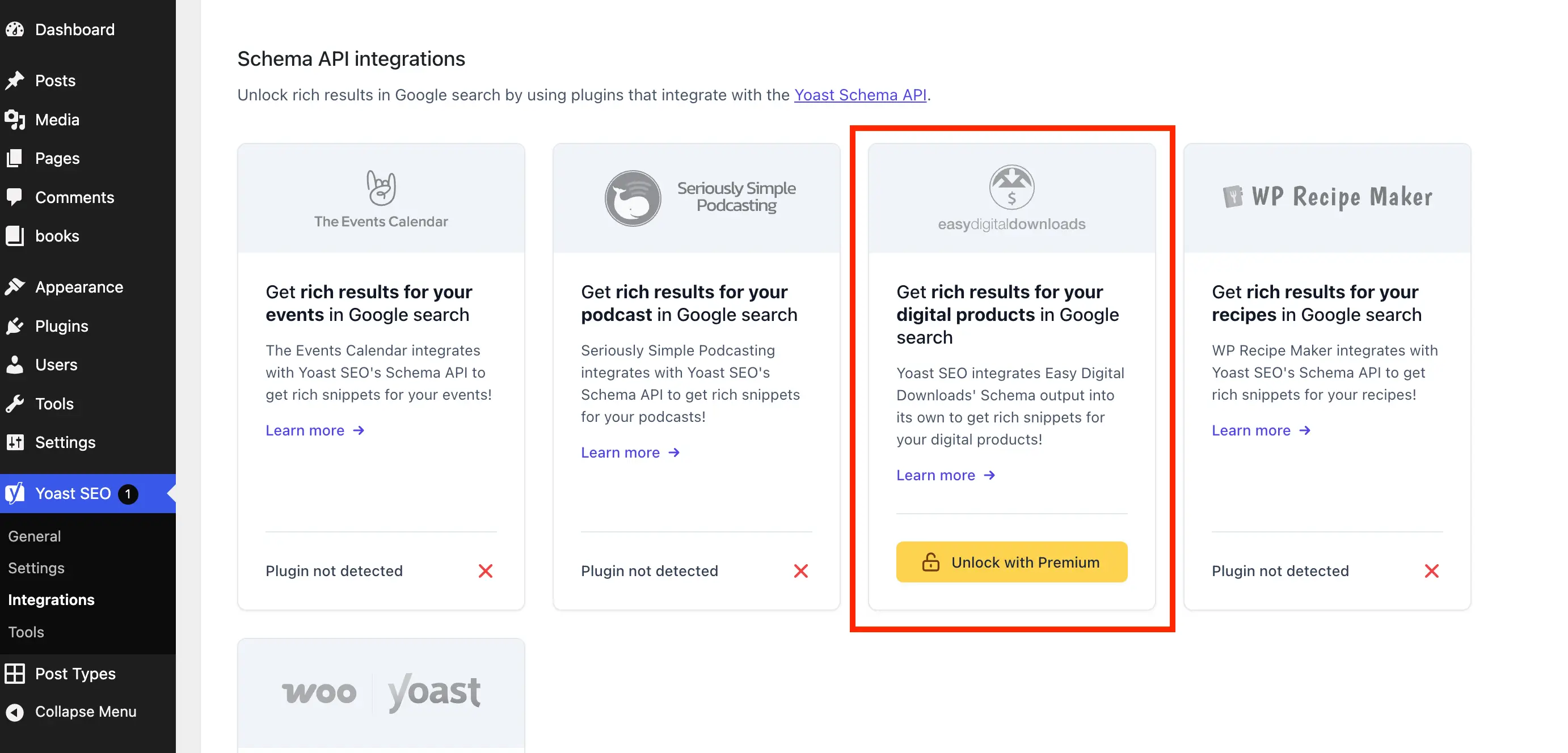
The "Integrations" page features cards for third-party tools, some of which require premium access. These "Unlock with Premium" cards can be hidden using a targeted CSS selector for the wpseo-integrations page ID, ensuring only upsell cards are affected.
All these CSS modifications are consolidated into a single method, remove_upsells_from_admin_pages, triggered by admin_enqueue_scripts when on Yoast SEO admin pages:

// Inside __construct()
add_action( 'admin_enqueue_scripts', [ $this, 'remove_upsells_from_admin_pages' ], PHP_INT_MAX );

// Method outside __construct()
public function remove_upsells_from_admin_pages(): void
    $current_screen = get_current_screen();
    if ( ! ( $current_screen instanceof WP_Screen && str_contains( $current_screen->id, 'wpseo_' ) ) )
        return;

    $css = '
        #yoast-seo-general .yst-@container > div:last-child:has([data-action=load-nfd-ctb]),
        #yoast-seo-general .yst-min-w-[16rem]:has(>.yst-sticky),
        #yoast-seo-settings main + div:has([data-action=load-nfd-ctb]),
        #yoast-seo-settings .yst-root div[class*=yst-fixed],
        #yoast-seo-settings main section .yst-feature-upsell,
        #yoast-seo-settings main section.yst-grid:has(fieldset > .yst-space-y-8 > .yst-feature-upsell:only-child),
        #yoast-seo-settings main section.yst-grid:has(fieldset > .yst-space-y-8 > .yst-feature-upsell:only-child) + hr,
        #yoast-seo-settings main form fieldset > .yst-flex > .yst-divide-y > .yst-py-4:has(.yst-button--upsell),
        #yoast-seo-settings main fieldset.yst-group > ul > li:has([data-action=load-nfd-ctb]),
        #wpseo-integrations .yst-root section > .yst-grid > div:has([data-action=load-nfd-ctb]),
        .yst-root .yst-table-row:has(.yst-button--upsell),
        .seo_page_wpseo_tools .wpseo_content_cell .yoast_premium_upsell,
        .seo_page_wpseo_tools #sidebar-container.wpseo_content_cell  display: none !important;
    ';
    wp_register_style( 'wpex-remove-yoast-upsells', false );
    wp_enqueue_style( 'wpex-remove-yoast-upsells' );
    wp_add_inline_style( 'wpex-remove-yoast-upsells', $css );
Taming the Editor: Eliminating Metabox and Sidebar Upsells
The WordPress editor, both classic and Gutenberg, is a frequent point of interaction for content creators. Yoast SEO’s metabox and block editor sidebar often contain numerous premium-only sections, creating constant visual reminders of the paid upgrade. These are particularly intrusive due to their direct presence in the content creation workflow.
Similar to the admin page upsells, these editor-based promotions are JavaScript components and are best handled with CSS. The remove_upsells_from_metaboxes method, triggered on post and term editor screens, applies specific CSS to hide these elements:
// Inside __construct()
add_action( 'admin_enqueue_scripts', [ $this, 'remove_upsells_from_metaboxes' ], PHP_INT_MAX );

// Method outside __construct()
public function remove_upsells_from_metaboxes(): void
    $current_screen = get_current_screen();
    if ( ! ( $current_screen instanceof WP_Screen && in_array( $current_screen->base, [ 'post', 'term' ], true ) ) )
        return;

    $css = '
        .wpseo-metabox-content div:has(> button > .yst-badge--upsell),
        :is(.wpseo-metabox-content,.yoast-modal-content) .yoast-prominent-words,
        :is(.wpseo-metabox-content,#yoast-seo:seo-sidebar) .yst-root > div > button[data-id*=AIFixes],
        .wpseo-metabox-content .collapsible_content > .yst-flex:has(.yst-badge--upsell),
        .wpseo-metabox-content .collapsible_content > .yst-flex:has(.yst-badge--upsell) + hr,
        :is(.wpseo-metabox-content,.yoast-modal-content) .yst-feature-upsell--card,
        #yoast-seo:seo-sidebar .components-panel > div:has(.yst-badge--upsell),
        #premium-seo-analysis-upsell-ad-sidebar,
        #premium-seo-analysis-upsell-ad-metabox  display: none !important;
    ';
    wp_register_style( 'wpex-remove-yoast-metabox-upsells', false );
    wp_enqueue_style( 'wpex-remove-yoast-metabox-upsells' );
    wp_add_inline_style( 'wpex-remove-yoast-metabox-upsells', $css );
Thorough testing after applying these CSS rules is crucial to ensure no essential fields are inadvertently hidden.
Broader Implications and Considerations for Site Administrators
Implementing these comprehensive modifications offers several tangible benefits. Foremost among them is a significantly cleaner and more professional WordPress admin interface, reducing visual noise and potential distractions for content creators and site managers. For web agencies, this streamlined backend enhances client satisfaction and streamlines internal workflows. The removal of the dashboard widget also contributes to minor performance gains by eliminating unnecessary external HTTP requests.
However, these custom code solutions come with important considerations. The reliance on CSS selectors, particularly for JavaScript-rendered components, means that future updates to Yoast SEO’s administrative design or class naming conventions could potentially break these removals. Site administrators must remain vigilant and be prepared to update the code as needed. This maintenance burden is a trade-off for not subscribing to the premium version, which would inherently remove these upsells.
While this guide empowers users to customize their Yoast SEO experience, it’s also important to acknowledge the developers’ perspective. The freemium model is a legitimate and often necessary strategy for sustaining high-quality plugin development. Users seeking a truly integrated, feature-rich, and upsell-free experience might find that investing in Yoast SEO Premium aligns better with their long-term needs. Alternatively, for those who find the freemium model inherently problematic, exploring alternative SEO plugins could be a viable path.
Conclusion
The comprehensive application of these PHP and CSS snippets offers a robust method for transforming the free version of Yoast SEO into a leaner, more focused tool. By systematically eliminating premium upgrade banners, unnecessary admin pages, dashboard widgets, and intrusive editor upsells, site administrators can cultivate a more productive and professional WordPress environment. While requiring a degree of technical oversight for maintenance, this approach provides a powerful means for users to tailor their administrative experience, ensuring that the powerful SEO functionalities of Yoast SEO remain accessible without the constant backdrop of promotional clutter.
For ease of implementation, the complete PHP class, incorporating all the discussed snippets, is available for direct integration into a WordPress site. Additionally, a packaged plugin, "wpex-remove-upsells-for-yoast-seo," can be downloaded from GitHub, offering a convenient, albeit manually updated, solution. This level of customization underscores the flexibility of WordPress and the community’s commitment to empowering users with control over their digital environments.