Beyond Sellfy: Exploring the Top E-commerce Platforms for Creators and Small Businesses in 2026

Sellfy, a platform widely adopted by creators and small businesses for its expediency in selling digital products, subscriptions, and simple merchandise online, has long served a clear purpose. Its all-in-one design and beginner-friendly tools have facilitated quick online storefronts. However, for a growing segment of users, particularly those with a stronger focus on comprehensive e-commerce functionalities and sophisticated site design, Sellfy can present limitations. As of 2026, a diverse array of alternative platforms are available, each offering enhanced customization, improved scalability, more competitive fee structures, robust e-commerce tools, broader integration capabilities, and greater design flexibility. This article delves into a thorough analysis of these leading alternatives, comparing their pricing, features, advantages, disadvantages, and overall user experience.
The e-commerce landscape is continuously evolving, driven by technological advancements and shifting consumer expectations. Platforms that once met the needs of small online sellers are now being surpassed by solutions offering more advanced capabilities. The demand for personalized branding, seamless customer journeys, and scalable infrastructure has led many creators and small businesses to seek alternatives that can better support their growth trajectories. This exploration aims to provide a detailed breakdown of the most compelling Sellfy alternatives currently available, enabling informed decisions for businesses looking to optimize their online sales operations.
The E-commerce Landscape in 2026: A Competitive Arena
The digital marketplace in 2026 is characterized by intense competition and a relentless drive for innovation. For creators and small businesses, selecting the right e-commerce platform is a critical strategic decision that can significantly impact revenue, brand perception, and operational efficiency. While Sellfy has been a reliable entry point, its inherent limitations in customization and scalability are prompting many users to evaluate more robust solutions. The following platforms have emerged as strong contenders, each catering to specific needs within the e-commerce ecosystem.
| Platform | Starting Price (USD) | Best For |
|---|---|---|
| Shopify | $5 – $39/month | Full-featured e-commerce businesses |
| Wix | $29/month | Quick launch with custom design |
| Squarespace | $16 – $99/month | Creative brands and portfolios |
| WooCommerce | Free (plus hosting) | SEO-focused sellers on WordPress |
| Podia | $39 – $89/month | All-in-one creator businesses |
| Gumroad | 10% fee per sale | Fast, no-fuss digital selling |
| Payhip | Free – $99/month | Transparent pricing, small teams |
| Ko-fi | Free – $12/month | Fan support and lightweight shops |
| Fourthwall | Free – $19/month | Merch + digital for creators |
| Teachable | $39+/month | Course-first sellers |
| Big Cartel | Free – $30/month | Small catalogs, artist shops |
1. Shopify: The Dominant Force in E-commerce Growth
Starting price: $5 per month (Starter plan), $39 per month (Basic, billed annually)
AI features: Yes – Shopify Sidekick (AI assistant), AI-generated product descriptions
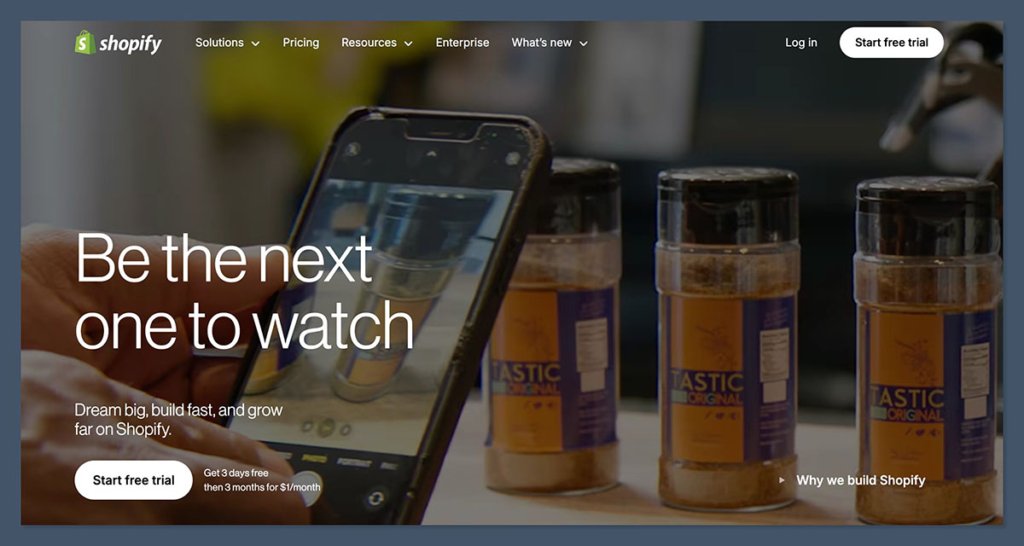
Shopify stands as the premier e-commerce platform for businesses aiming for substantial online sales. It is engineered with a comprehensive suite of dedicated sales tools, making it an optimal choice for entities ranging from independent creators to rapidly scaling brands. While its site editor may not possess the same intuitive drag-and-drop simplicity as some all-in-one builders, Shopify’s unwavering focus on performance, advanced inventory management, and a streamlined checkout experience solidifies its position as the most potent platform for online selling.
In recent testing, the integration of Shopify Sidekick proved to be a significant enhancement. This AI assistant actively suggested layouts, refined product descriptions, and even proposed strategic discounts, functioning more as a collaborative partner than a mere tool. This level of AI integration significantly reduces the time and effort required for store setup and ongoing optimization.
Pros:
- Scalability: Designed to handle businesses of all sizes, from startups to large enterprises.
- Robust Features: Offers advanced inventory management, shipping options, payment gateways, and marketing tools.
- Extensive App Store: Access to thousands of third-party applications for expanded functionality.
- AI Integration: Shopify Sidekick streamlines content creation, marketing, and operational tasks.
- Global Reach: Supports international sales, multi-currency transactions, and localized taxes.
Cons:

- Transaction Fees: Additional fees may apply for third-party payment gateways if not using Shopify Payments.
- Learning Curve: Can be more complex than simpler builders for absolute beginners.
- Cost: Monthly fees can increase significantly with additional apps and higher-tier plans.
Recent Shopify Updates and Features:
Shopify has consistently invested in its platform, introducing features like enhanced analytics dashboards, improved SEO tools, and more sophisticated marketing automation capabilities. The ongoing development of Shopify Sidekick signals a commitment to leveraging AI to empower merchants.
How Much Does Shopify Cost?
Shopify offers several pricing tiers, including:
- Starter Plan: $5/month (for social selling and basic online presence).
- Basic Plan: Starts at $39/month (billed annually) for core e-commerce features.
- Shopify Plan: Starts at $105/month (billed annually) with more advanced reporting.
- Advanced Plan: Starts at $399/month (billed annually) for large-scale operations.
- Shopify Plus: Custom pricing for enterprise-level businesses.
Why Use Shopify in 2026?
Shopify continues to dominate the market due to its comprehensive e-commerce features, secure infrastructure, and inherent scalability. It provides advanced functionalities like sophisticated shipping rules, international tax management, and abandoned cart recovery without the need for numerous third-party plugins. The AI assistant, Shopify Sidekick, further simplifies operations by assisting with content generation, automation, and customer support, which is invaluable for solo entrepreneurs and small teams. For businesses prioritizing e-commerce growth, Shopify offers the tools and flexibility required to scale effectively, whether selling digital downloads, print-on-demand items, or extensive product catalogs.
Shopify is suitable for:
- Businesses of all sizes looking for a powerful, scalable e-commerce solution.
- Sellers requiring advanced inventory, shipping, and payment processing capabilities.
- Brands focused on growth and expanding their online reach globally.
- Users who can benefit from AI-powered assistance for content and operations.
Shopify isn’t suitable for:
- Individuals or hobbyists looking for a completely free platform with no transaction fees.
- Users who require extreme simplicity and have very basic selling needs.
- Businesses prioritizing unique website design over robust e-commerce functionality.
2. Wix: The Design-Forward, User-Friendly E-commerce Builder
Starting price: $29 per month (e-commerce plans)
AI tools: Yes – Wix ADI, AI image/text generation, Astro AI assistant
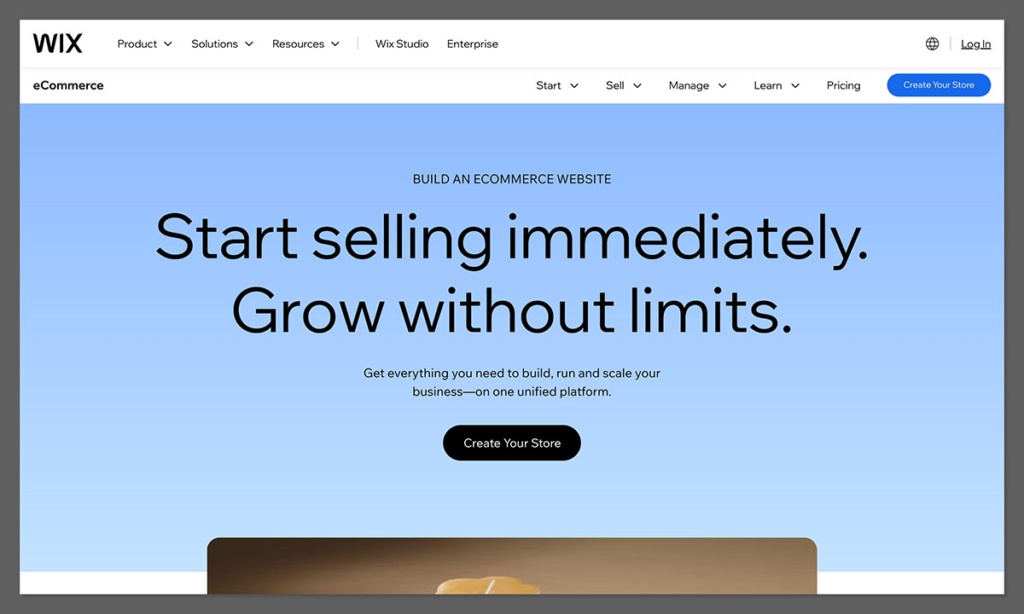
Wix is widely recognized as one of the most accessible and design-flexible e-commerce builders available. It is particularly well-suited for sellers who prioritize a visually stunning website that can be launched quickly, without requiring any coding expertise. Wix integrates built-in marketing tools, basic automation features, and essential e-commerce functionalities, making it an effective solution for smaller online stores.
During a recent test, Wix’s AI builder was utilized to establish a storefront for digital templates. The platform impressively generated a tailored layout complete with product pages, a checkout system, and email opt-in flows, all of which could be further customized using the intuitive drag-and-drop editor. This combination of AI-driven setup and flexible manual editing offers a powerful workflow.
Pros:
- Intuitive Editor: User-friendly drag-and-drop interface for easy website design.
- AI Design Assistance: Wix ADI and Astro AI can rapidly generate initial site designs and content.
- All-in-One Solution: Includes website building, hosting, domain registration, and e-commerce tools.
- Marketing Tools: Built-in features for email marketing, SEO, and social media integration.
- App Market: Offers a range of apps to extend functionality.
Cons:
- Limited Scalability: May not be ideal for very large or complex e-commerce operations.
- Template Lock-in: Once a template is chosen, it’s difficult to switch without rebuilding the site.
- SEO Limitations: While improved, it can still be less flexible for advanced SEO strategies compared to platforms like WooCommerce.
How Much Does Wix Cost?
Wix offers several e-commerce plans, with pricing typically starting around $29 per month for their Business Basic plan, which includes essential e-commerce features. Higher-tier plans offer more storage, bandwidth, and advanced marketing tools.
Why Use Wix in 2026?
Wix effectively combines website design, e-commerce capabilities, and marketing tools into a single, cohesive platform. It is a leading choice for creators, small brands, and boutique stores that aim to establish a strong online presence with a polished visual appeal. While it might not be the optimal choice for managing massive product catalogs or highly complex operational workflows, Wix excels in its simplicity, user experience, and aesthetic presentation. The continuous integration of AI tools further enhances its appeal for rapid and visually engaging online store development.
Wix is suitable for:
- Small to medium-sized businesses and creators prioritizing website aesthetics.
- Users who want a quick and easy way to build a professional-looking online store.
- Businesses that benefit from integrated marketing and SEO tools.
- Those who appreciate AI assistance in design and content creation.
Wix isn’t suitable for:
- Large enterprises with extensive product catalogs and complex inventory needs.
- Users requiring absolute control over website code and advanced backend customization.
- Businesses whose primary focus is on highly specialized SEO strategies.
3. Squarespace: The Epitome of Design-Focused Branding
Starting price: $25/month (monthly), $16/month (annual billing)
AI features: Yes – Squarespace Blueprint and AI content tools
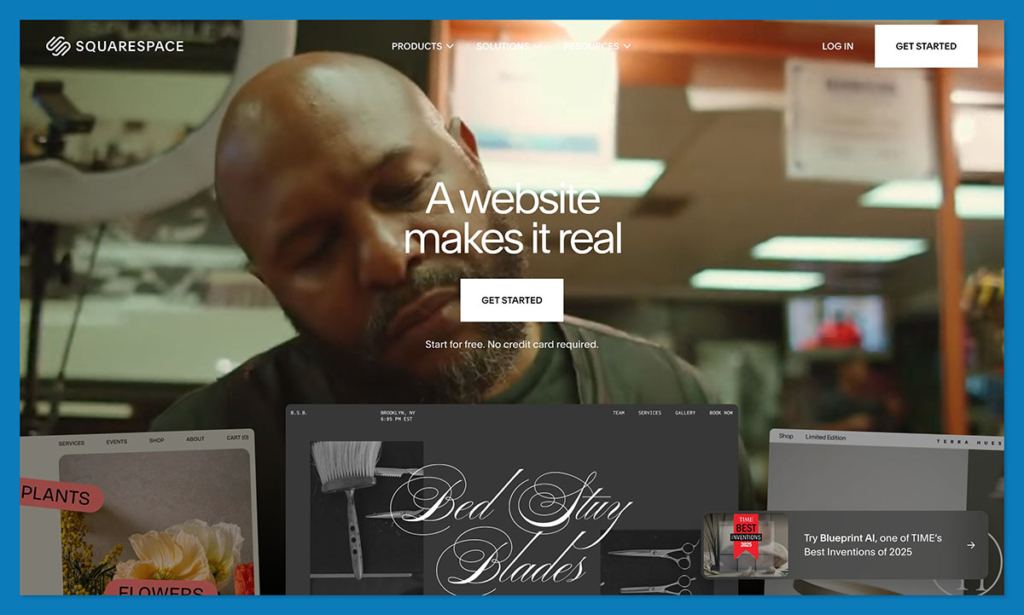
Squarespace is renowned for its aesthetically pleasing templates and a remarkably smooth editing experience. It is an ideal platform for designers, artists, and premium brands seeking to showcase their products and establish a clean, high-end online storefront. Squarespace supports a variety of product types, including digital downloads, subscriptions, and physical goods, with minimal setup required.
In a recent portfolio-style store build on Squarespace, the platform’s templates significantly streamlined the process. The template provided a strong foundation, requiring only content swaps and minor section adjustments to achieve a polished, professional look from the outset. The introduction of Squarespace Blueprint and AI content tools further empowers users to create sophisticated designs and engaging copy more efficiently.
Pros:
- Stunning Templates: Offers a wide range of modern, professional, and visually appealing templates.
- Ease of Use: Intuitive interface for designing and managing a website.
- Integrated Features: Includes blogging, portfolio, e-commerce, and marketing tools.
- Brand Consistency: Excellent for building a strong, cohesive brand identity.
- AI Content Assistance: Squarespace’s AI tools help generate website copy and product descriptions.
Cons:
- Limited App Integrations: Fewer third-party integrations compared to platforms like Shopify.
- Less E-commerce Depth: While capable, it may lack some of the advanced e-commerce features found on dedicated platforms.
- Design Flexibility Constraints: While visually strong, the template-based structure can limit extreme customization.
How Much Does Squarespace Cost?
Squarespace offers several pricing plans, with e-commerce capabilities typically starting with their Business plan at $25/month (billed monthly) or $16/month (billed annually). More robust e-commerce features are available on their Commerce plans, which range from $35/month to $52/month (billed annually).
Why Use Squarespace in 2026?
Squarespace is the definitive choice when design is paramount. It empowers users to create a modern, professional online store with ease, eliminating the need for professional design services. For businesses selling digital goods, print media, art, or any visually oriented products, Squarespace provides the necessary visual edge to stand out in the competitive online marketplace. The ongoing development of AI content tools further enhances its value proposition for creators and brands focused on visual appeal and engaging narratives.
Squarespace is suitable for:
- Creative professionals, artists, designers, and brands prioritizing visual presentation.
- Businesses looking for a beautiful, all-in-one website solution with integrated e-commerce.
- Sellers of digital products, physical goods, and services that benefit from a strong aesthetic.
- Users who value a seamless website building experience with polished templates.
Squarespace isn’t suitable for:
- Businesses requiring highly advanced e-commerce functionalities and deep customization.
- Sellers with extremely large product catalogs that might strain the platform’s structure.
- Users who need extensive third-party app integrations for specialized business needs.
4. WooCommerce: The WordPress Powerhouse for SEO and Control
Starting price: Free plugin, hosting from ~$20/month
AI features: No native AI tools
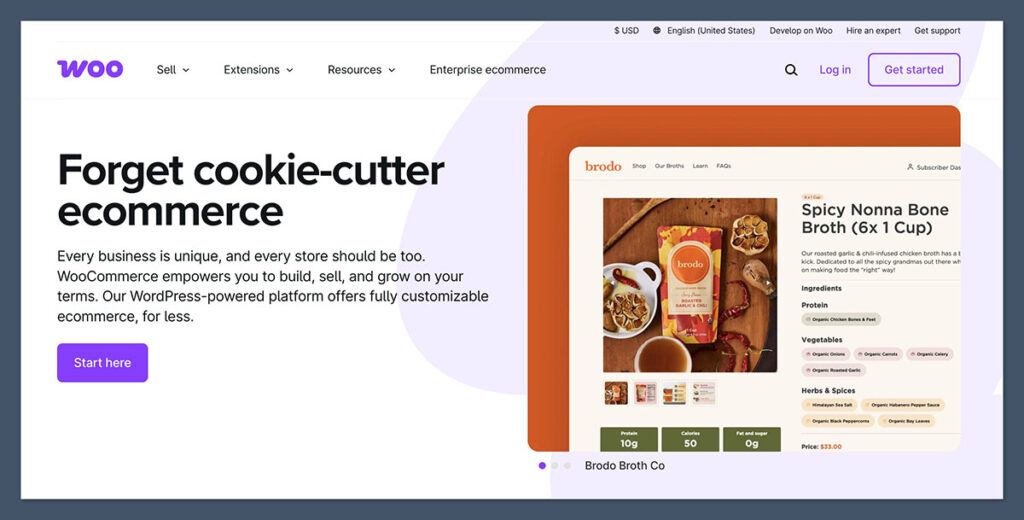
WooCommerce is a highly adaptable e-commerce plugin for WordPress, granting users complete command over their store’s design, performance, and search engine optimization (SEO). It is best suited for sellers who are already established on WordPress or wish to integrate e-commerce functionalities with extensive content marketing and blogging efforts.
Integrating WooCommerce onto an existing WordPress blog was a straightforward process, though it did necessitate the installation of several supplementary plugins to enable digital delivery and payment processing. With appropriate hosting and a well-chosen theme, WooCommerce transforms into an exceptionally powerful and customizable e-commerce solution. The lack of native AI tools is offset by the vast ecosystem of WordPress plugins that can introduce AI functionalities.
Pros:
- Ultimate Flexibility: Full control over design, functionality, and data.
- SEO Advantage: Leverages WordPress’s strong SEO capabilities.
- Vast Plugin Ecosystem: Access to thousands of plugins for virtually any feature requirement.
- Open Source: No monthly platform fees, only costs for hosting, domain, and premium extensions.
- Scalability: Can be scaled to accommodate businesses of any size.
Cons:
- Steeper Learning Curve: Requires familiarity with WordPress and website management.
- Maintenance Responsibility: Users are responsible for updates, security, and backups.
- Additional Costs: Hosting, domain, themes, and premium plugins can add up.
- No Native AI: Relies on third-party plugins for AI features.
How Much Does WooCommerce Cost?
The WooCommerce plugin itself is free. However, users will incur costs for:
- Web Hosting: Varies widely, typically starting from $20/month for reliable hosting.
- Domain Name: Around $10-$20 per year.
- Premium Themes/Plugins: Optional, but can range from $30 to hundreds of dollars.
Why Use WooCommerce?
WooCommerce presents itself as a superior Sellfy alternative for individuals already proficient with WordPress and seeking unparalleled flexibility. It is an ideal choice for content-driven sellers or those focused on optimizing their websites for organic search traffic. While it demands more initial setup and ongoing management than all-in-one platforms, WooCommerce offers unmatched control over functionality, performance, and SEO. The integration with the broader WordPress ecosystem allows for extensive customization and the implementation of advanced AI tools through third-party plugins.
WooCommerce is suitable for:
- Existing WordPress users looking to add e-commerce capabilities.
- Businesses prioritizing SEO and content marketing integration.
- Sellers who require complete control over their website and data.
- Developers and users comfortable with managing their own hosting and site maintenance.
WooCommerce isn’t suitable for:
- Beginners who are not familiar with WordPress or website management.
- Users who prefer a fully managed, all-in-one solution with minimal technical overhead.
- Businesses that need immediate, out-of-the-box e-commerce functionality without any setup.
5. Podia: The Creator’s All-in-One Hub
Starting price: $39/month (5% fee), $89/month (0% fee)
AI tools: No AI assistant, but intuitive UI
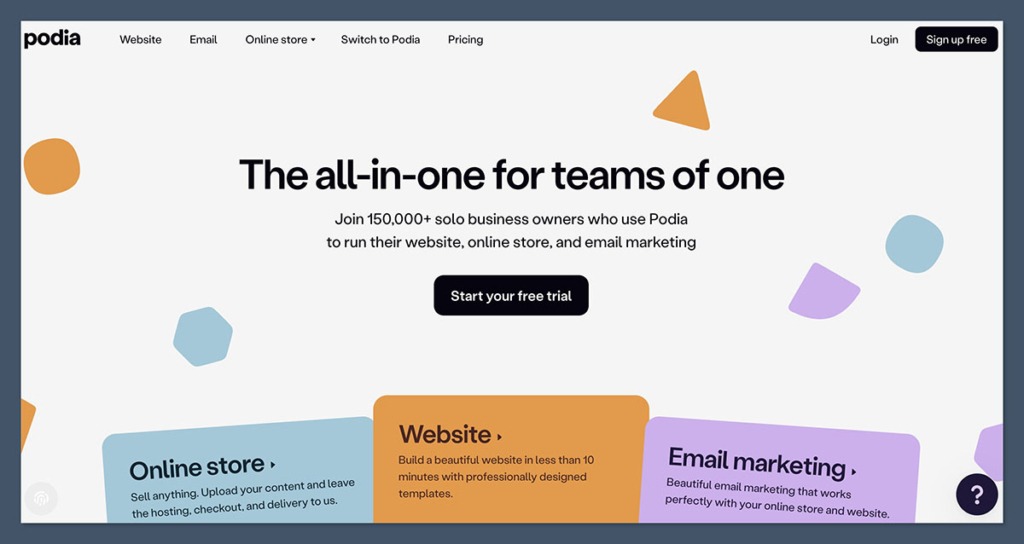
Podia is meticulously designed for creators, including coaches, online course educators, and digital product businesses. It seamlessly integrates a storefront, email marketing capabilities, membership options, and content hosting within a single, streamlined interface. For businesses whose core operations revolve around digital products and audience engagement, Podia emerges as a compelling alternative to Sellfy.
The process of creating an online course within Podia was remarkably swift. The platform handled all aspects, from lesson uploads and customer payments to drip content delivery, without the need for any additional tools or plugins. This integrated approach significantly simplifies the management of online educational content.
Pros:
- Creator-Focused: Tailored features for selling courses, digital downloads, memberships, and coaching.
- All-in-One Simplicity: Combines storefront, email marketing, and content hosting.
- No Transaction Fees on Higher Plans: The $89/month plan offers zero transaction fees.
- User-Friendly Interface: Clean and intuitive design for easy navigation and content management.
- Affordable for Creators: Competitive pricing structure for its feature set.
Cons:
- Limited Design Customization: The design options are more curated than highly flexible.
- Fewer Integrations: Less extensive integration options compared to larger platforms.
- No Advanced E-commerce Features: Lacks sophisticated inventory management or complex shipping rules.
How Much Does Podia Cost?
Podia offers tiered pricing:
- Mover Plan: $39/month (or $390/year) with a 5% transaction fee.
- Shaker Plan: $89/month (or $890/year) with 0% transaction fees.
- Earthquaker Plan: Custom pricing for businesses requiring advanced features.
Why Use Podia in 2026?
Podia consolidates the essential tools that most creators require into a single platform. This eliminates the need to manage disparate services for courses, email marketing, and storefronts. For content-first businesses, Podia offers a more efficient and user-friendly experience than Sellfy, complete with enhanced customer engagement and marketing tools. Its focus on the creator economy makes it a highly relevant and effective platform for monetizing digital expertise and content.
Podia is suitable for:
- Online course creators, coaches, and digital product sellers.
- Creators who want an all-in-one platform for selling content and building a community.
- Businesses prioritizing ease of use and streamlined operations.
- Those who appreciate a platform designed specifically for their needs.
Podia isn’t suitable for:
- Businesses primarily selling physical products with complex inventory needs.
- Users requiring extensive website design customization or advanced e-commerce features.
- Creators who need deep integration with a wide array of third-party marketing or sales tools.
6. Gumroad: The Pinnacle of Fast, No-Fuss Digital Sales
Starting price: Free to use, with a 10% transaction fee
AI tools: No
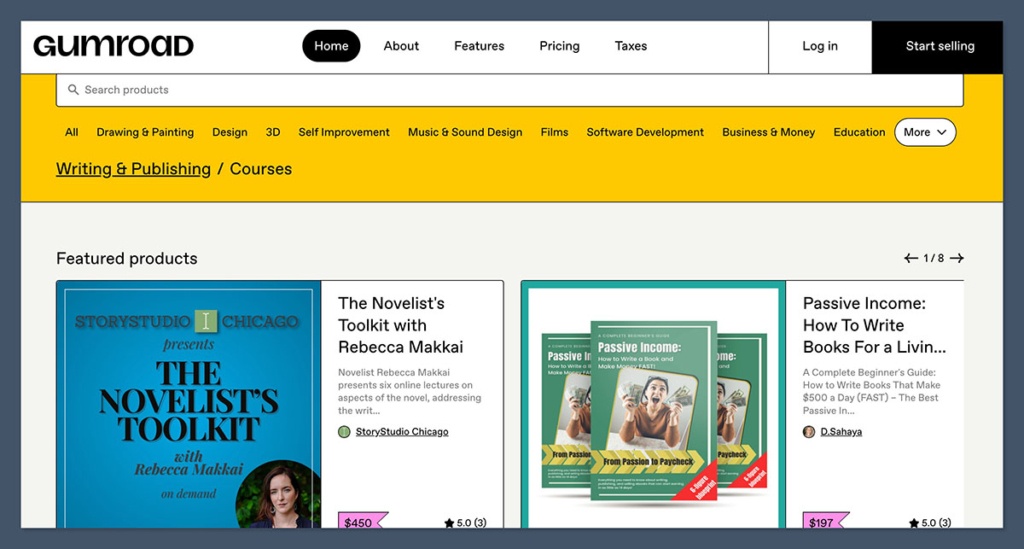
Gumroad stands out as one of the most rapid methods for selling digital products online. If a creator has a file, a price, and an audience, they can establish a sales presence within minutes. It is engineered for creators who value simplicity over complexity, and its absence of a monthly subscription fee is particularly appealing to those in the nascent stages of their online selling journey.
My experience with Gumroad for launching and testing new products has been notably positive, allowing for quick product releases without the commitment to a full-fledged storefront. While the setup was effortless, the branding and design customization options were observed to be quite limited.
Pros:
- Extremely Simple Setup: Ideal for quick product launches.
- No Monthly Fees: Monetization is based solely on per-sale transaction fees.
- Creator-Centric: Focuses on ease of use for digital product creators.
- Built-in Audience Tools: Features like affiliate programs and discounts are integrated.
- Broad File Support: Can host various digital product types.
Cons:
- High Transaction Fees: The 10% fee can become substantial for high-volume sellers.
- Limited Design Options: Basic customization and storefront appearance.
- Scalability Issues: May not be suitable for businesses scaling to significant sales volumes.
- No Advanced E-commerce Features: Lacks features like complex analytics or robust marketing automation.
How Much Does Gumroad Cost?
Gumroad operates on a 10% transaction fee for every sale made. There are no monthly subscription costs, making it accessible to start selling immediately.
Why Use Gumroad?
Gumroad is the optimal Sellfy alternative for minimalist creators who aim for rapid product launches and wish to avoid ongoing monthly expenditures. It is particularly effective for selling items such as PDFs, templates, short video content, or small software utilities. However, for sales volumes exceeding approximately $1,000 per month, the cumulative transaction fees can become a significant financial consideration.
Gumroad is suitable for:
- Creators launching their first digital products or testing new offerings.
- Individuals who prioritize speed and simplicity over extensive customization.
- Sellers with a small number of digital products and a focused audience.
- Those who want to avoid monthly platform fees.
Gumroad isn’t suitable for:
- Businesses with high sales volumes where a 10% fee is prohibitive.
- Sellers requiring advanced e-commerce features, detailed analytics, or extensive branding control.
- Creators looking to build a comprehensive, multi-product online store with a unique brand identity.
7. Payhip: Transparent Pricing and Streamlined Selling
Starting price: Free (5% fee), $29/month (2% fee), $99/month (0% fee)
AI tools: No
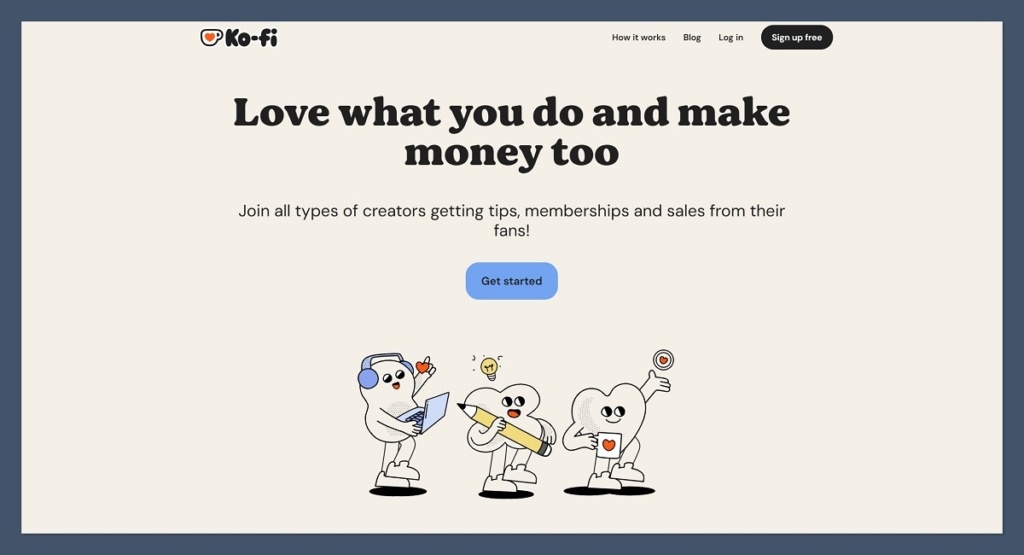
Payhip is a creator-centric platform that provides a clean, all-in-one solution for selling digital products, memberships, and even physical goods. It is recognized for its transparent pricing model and straightforward setup process, allowing users to establish an online presence within an hour. Payhip includes essential tools for VAT compliance, coupon creation, and affiliate program management.
Payhip has been consistently recommended to creators seeking to avoid hidden fees or complex setup procedures. While its storefront design is relatively simple, it offers sufficient functionality for sellers whose primary focus is on efficient product delivery rather than elaborate aesthetics.
Pros:
- Transparent Pricing: Clear fee structure across different plans.
- Free Plan Available: Allows for immediate selling with a transaction fee.
- All-in-One Features: Supports digital products, memberships, and physical goods.
- Built-in Tools: Includes VAT handling, coupons, and affiliate marketing.
- User-Friendly Interface: Easy to navigate and manage products and orders.
Cons:
- Limited Design Customization: Basic storefront design options.
- Transaction Fees on Lower Tiers: The free and $29/month plans include transaction fees.
- Scalability Concerns: May not be ideal for very large or rapidly scaling businesses.
- Fewer Integrations: Limited options for connecting with other software.
How Much Does Payhip Cost?
Payhip offers flexible pricing:
- Free Plan: 5% transaction fee per sale.
- Plus Plan: $29/month with a 2% transaction fee.
- Pro Plan: $99/month with 0% transaction fees.
Why Use Payhip?
For those seeking a straightforward and efficient method to sell digital goods, Payhip delivers significant value without unnecessary complexity. Its pricing is easy to comprehend, and its tools are well-suited for solo entrepreneurs. While it may not be the platform of choice for building an enterprise-level store, it is more than adequate for lean, digitally focused businesses. The transparency in its fee structure is a major draw for creators conscious of their profit margins.
Payhip is suitable for:
- Solo entrepreneurs and small teams selling digital products or memberships.
- Creators who value transparent pricing and minimal fees.
- Businesses looking for a simple, all-in-one platform to get started quickly.
- Sellers who need integrated tools for managing taxes and customer loyalty programs.
Payhip isn’t suitable for:
- Businesses requiring extensive design customization and advanced branding control.
- Large-scale operations that necessitate sophisticated inventory management and multi-channel selling.
- Users who need a broad range of third-party integrations for specialized workflows.
8. Ko-fi: Fan Support and Lightweight Sales Integration
Starting price: Free with 5% fee, $12/month for Ko-fi Gold (0% fee)
AI tools: No
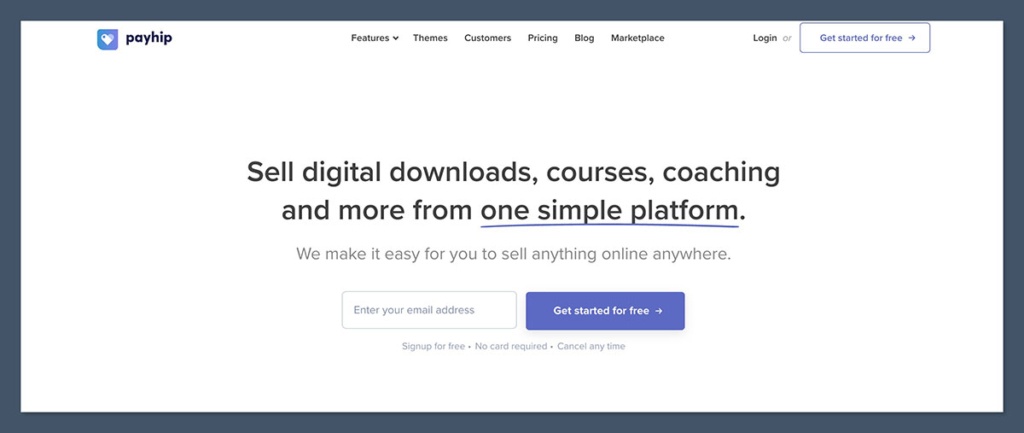
Ko-fi is a platform designed primarily for fan support, enabling users to receive tips, subscribe to content, or purchase digital products through a simple shop interface. It has garnered significant popularity among artists, writers, and streamers who desire a straightforward method for monetization without the complexities of establishing a full online store.
Ko-fi offers an ideal blend of donation functionality and product sales. Its ease of setup, coupled with the elimination of concerns regarding product hosting or intricate design, makes it a highly attractive option for creators seeking to monetize their work with minimal friction.
Pros:
- Fan Support Focus: Excellent for donations, tips, and recurring subscriptions.
- Lightweight Shop: Simple integration for selling digital products.
- Low Fees: Very competitive fees, especially with Ko-fi Gold.
- Easy Setup: Quick to create a profile and start receiving support or sales.
- Community-Oriented: Designed to foster connections between creators and their fans.
Cons:
- Limited E-commerce Features: Basic functionality for product sales.
- Design Customization: Minimal options for storefront branding.
- Not Ideal for Large Inventories: Best suited for a small number of products.
- Reliance on Fanbase: Success is often tied to an existing community of supporters.
How Much Does Ko-fi Cost?
Ko-fi offers a free tier with a 5% fee on donations and sales. The Ko-fi Gold subscription, priced at $12/month, removes these fees, allowing creators to keep 100% of their earnings.
Why Use Ko-fi?
Ko-fi serves as a creator-friendly Sellfy alternative that effectively balances fan donations and product sales without overwhelming users with excessive features. If a creator already possesses an engaged fanbase and seeks a low-effort monetization strategy, Ko-fi presents one of the most hassle-free solutions available today. Its focus on community engagement and direct support makes it a unique offering in the creator economy.
Ko-fi is suitable for:
- Artists, writers, streamers, and other content creators seeking fan support.
- Individuals who want to offer digital products alongside donations or subscriptions.
- Those looking for a simple, low-cost platform to monetize their work.
- Creators who prioritize community building and direct fan interaction.
Ko-fi isn’t suitable for:
- Businesses primarily focused on selling physical products with inventory management needs.
- Sellers requiring sophisticated e-commerce analytics and marketing automation.
- Users who need extensive customization options for their online storefront.
9. Fourthwall: Merch and Digital Products Tailored for Creators
Starting price: Free plan available, Pro plan is $19/month or $180/year
AI tools: No
Fourthwall is specifically engineered for creators looking to sell merchandise, memberships, and digital products directly to their audiences. It incorporates built-in fulfillment services for physical products and integrates seamlessly with platforms like YouTube and Twitch, making it an ideal solution for social media creators with an established following.
Utilizing Fourthwall to establish a combined merchandise and digital product page for a YouTube client significantly streamlined the entire process, from order management to custom domain setup. This eliminated the need for manual fulfillment and shipping coordination, a common pain point for creators.
Pros:
- Creator-Focused Design: Tailored features for selling merch, memberships, and digital goods.
- Integrated Fulfillment: Handles production and shipping of merchandise.
- Social Media Integration: Connects with platforms like Twitch and YouTube.
- Membership Options: Enables recurring revenue streams.
- Free Plan Available: Accessible for creators starting out.
Cons:
- Limited Design Flexibility: While functional, design options are more templated.
- Focus on Creators: May not be ideal for general e-commerce businesses.
- Transaction Fees on Free Plan: The free tier includes transaction fees.
- Fewer Integrations: Limited third-party app support compared to larger platforms.
How Much Does Fourthwall Cost?
Fourthwall offers:
- Free Plan: With transaction fees.
- Pro Plan: $19/month or $180/year, offering enhanced features and potentially reduced fees.
Why Use Fourthwall?
Fourthwall simplifies the process of converting an audience into a revenue stream. Whether selling apparel, digital content packs, or membership access, the platform is built with the creator at its core, rather than as a generic e-commerce solution. For individuals whose income is directly tied to content creation, Fourthwall stands out as one of the most relevant and effective monetization tools currently available.
Fourthwall is suitable for:
- Content creators on platforms like YouTube, Twitch, TikTok, and Instagram.
- Businesses selling custom merchandise alongside digital products or memberships.
- Creators seeking an integrated solution for product fulfillment and sales.
- Those who want to build a direct relationship with their audience through exclusive offerings.
Fourthwall isn’t suitable for:
- Businesses primarily focused on selling a large volume of physical products through traditional retail channels.
- Users requiring advanced e-commerce analytics and complex inventory management systems.
- Creators who need extensive website design customization beyond the provided templates.
10. Teachable: The Premier Platform for Online Course Creators
Starting price: $39/month (7.5% fee), higher plans reduce fees
AI tools: No
Teachable is a purpose-built platform designed for hosting, selling, and managing online courses. It is the ideal choice for educators and digital creators who wish to offer structured content, encompassing video lessons, coaching services, and downloadable materials.
In creating a sample course on Teachable, the platform facilitated seamless management of students, tracking of lesson progress, and the provision of certificates, all without the necessity of additional plugins or coding. The student experience was consistently polished and easy to navigate, highlighting the platform’s user-centric design for learning environments.
Pros:

- Course-Centric Features: Optimized for creating and selling online courses.
- Integrated Tools: Includes course hosting, payment processing, and student management.
- Customization Options: Ability to brand and design the course platform.
- Affiliate Program: Facilitates partnerships for course promotion.
- Student Engagement Tools: Features for feedback and progress tracking.
Cons:
- Transaction Fees: Fees apply to lower-tier plans, impacting profit margins.
- Less Versatile for Other Products: Not ideal for selling a wide range of physical goods or diverse digital products outside of courses.
- Design Limitations: Website design options are focused on course presentation.
- No Native AI: Relies on third-party integrations for AI functionalities.
How Much Does Teachable Cost?
Teachable offers tiered pricing:
- Free Plan: 0% fee, but with a $1 + 10% transaction fee per sale and limited features.
- Basic Plan: $39/month (billed annually) with a 7.5% transaction fee.
- Pro Plan: $119/month (billed annually) with a 5% transaction fee and more advanced features.
- Business Plan: $249/month (billed annually) with a 0% transaction fee and advanced tools.
Why Use Teachable?
Teachable represents a powerful Sellfy alternative for businesses whose primary focus is education and structured content delivery. Its learning-centric features make it significantly more suitable for course-based ventures than traditional e-commerce platforms. The platform’s comprehensive suite of tools simplifies the creation and management of online courses, allowing educators to concentrate on delivering high-quality content and engaging with their students effectively.
Teachable is suitable for:
- Online educators, coaches, and experts offering courses or training programs.
- Businesses that specialize in digital education and content delivery.
- Creators who need robust tools for managing students and course progression.
- Those prioritizing a dedicated learning environment over a general e-commerce store.
Teachable isn’t suitable for:
- Businesses primarily selling physical products or a wide variety of non-course digital goods.
- Users who require extensive website design flexibility and branding control for a general store.
- Sellers looking for a platform with integrated marketing automation beyond course promotion.
11. Big Cartel: The Artisan’s Choice for Small Shops
Starting price: Free for up to 5 products, paid plans at $15/month and $30/month
AI tools: No
Big Cartel is a lightweight e-commerce platform designed specifically for artists, artisans, and small-scale sellers. It offers an intuitive interface, minimal overhead, and a clean storefront experience for businesses managing a limited number of products.
Setting up a shop on Big Cartel was a swift process, completed in under an hour. The platform provided just enough customization to align with branding needs. While it is not engineered for large-scale expansion, Big Cartel effectively serves its intended niche with simplicity and affordability.
Pros:

- Affordable for Small Sellers: Free plan available for very small inventories.
- User-Friendly Interface: Simple and intuitive for beginners.
- Focus on Artists: Tailored for selling unique, handcrafted, or limited-run items.
- Clean Design: Offers a minimalist aesthetic for product display.
- No Transaction Fees: Paid plans do not include transaction fees.
Cons:
- Limited Product Count: Free and lower-tier plans have strict limits on the number of products.
- Basic Features: Lacks advanced e-commerce functionalities like extensive marketing tools or complex inventory management.
- Design Customization: Limited options for in-depth website design.
- Not Scalable: Unsuitable for businesses planning significant growth or large product catalogs.
How Much Does Big Cartel Cost?
Big Cartel’s pricing is structured around product limits:
- Free Plan: Up to 5 products.
- Gold Plan: $15/month for up to 50 products.
- Platinum Plan: $30/month for up to 500 products.
Why Use Big Cartel in 2026?
Big Cartel continues to be an excellent option for small artists or hobbyists selling a limited range of products. It is ideal for those who wish to avoid complex e-commerce dashboards or substantial monthly costs. Its straightforward approach and focus on simplicity make it a go-to platform for creators prioritizing their craft over intricate online store management.
Big Cartel is suitable for:
- Artists, musicians, makers, and independent creators with small product catalogs.
- Hobbyists looking for an easy and affordable way to sell their creations.
- Businesses prioritizing simplicity and a focused product offering.
- Sellers who value a platform without transaction fees on paid plans.
Big Cartel isn’t suitable for:
- Businesses with large product inventories or those planning rapid expansion.
- Sellers requiring advanced e-commerce features, sophisticated marketing tools, or extensive customization.
- Anyone looking for a platform to build a large-scale, multi-faceted online retail operation.
Final Thoughts: Charting the Course for Online Sales Success
For creators and small businesses finding Sellfy’s capabilities too restrictive, the search for a more suitable platform is a common and understandable endeavor. Whether managing a creator business, distributing digital downloads, or launching a first online store, selecting the appropriate platform can profoundly influence growth trajectories and profit margins.
Platforms like Shopify and WooCommerce are paramount for long-term scalability and comprehensive e-commerce functionalities, offering robust features and deep customization. Wix and Squarespace are distinguished by their emphasis on visual design and user-friendly interfaces, making them ideal for brands that prioritize aesthetics and ease of use. For creators focused on monetizing content, platforms such as Podia, Gumroad, Ko-fi, and Fourthwall provide clear, streamlined paths to monetization, each with its unique strengths for specific