How to Clean Up the WordPress Admin by Removing Yoast SEO Upsells and Promotional Noise

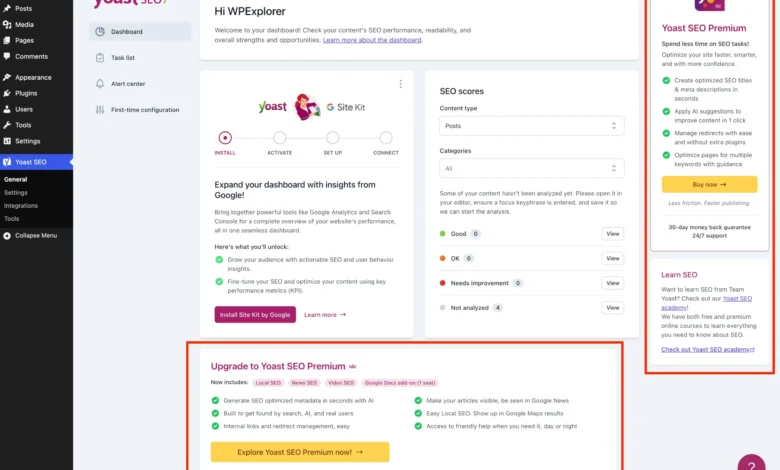
Managing a WordPress website often involves balancing the functionality provided by third-party plugins with the cleanliness of the administrative dashboard. Yoast SEO, developed by Yoast, stands as one of the most widely utilized search engine optimization plugins in the WordPress ecosystem, active on millions of live domains globally. While its core free tier delivers essential tools for sitemap management, meta descriptions, and readability analyses, the user interface within the WordPress backend is heavily integrated with promotional material. For professional developers, digital agencies, and site administrators managing client portfolios, these persistent upsell banners, sidebar widgets, and locked premium fields frequently introduce visual clutter and administrative distractions.
The deployment of commercial open-source software models inherently relies on freemium strategies to convert free users into paid subscribers. Yoast SEO exemplifies this approach, utilizing admin dashboard sections, specialized submenu pages, and direct toolbars to market its premium tier, which typically includes advanced features such as AI-generated titles, automated internal linking suggestions, and comprehensive redirect managers. However, when deployed across multi-client environments or minimalist admin workflows, these promotional vectors create friction. Addressing this requires a technical understanding of WordPress hooks, filter priorities, and targeted CSS containment to streamline the user interface without compromising plugin stability or core SEO functionality.
Background Context and Evolution of Freemium Software Interventions

The tension between software utility and promotional messaging in content management systems has escalated alongside the maturation of the WordPress plugin marketplace. Over the past decade, plugin developers have increasingly adopted aggressive in-dashboard marketing techniques, ranging from dismissible notices to locked configuration fieldsets. Yoast SEO, originally introduced as WordPress SEO by Joost de Valk, evolved into a commercialized product suite following its acquisition by Newfold Digital. As the platform scaled, the integration of upsell mechanisms expanded from simple footer text to comprehensive admin pages, dynamic JavaScript components, and sidebar panels.
Industry analysts note that while these monetization pathways are vital for sustaining software development, supporting customer service teams, and funding continuous updates, they impose cognitive overhead on end-users who have consciously chosen to utilize the free iteration. Administrators overseeing enterprise-level WordPress installations frequently enforce strict UI/UX standards to ensure clients remain focused on content creation and site management rather than navigating software upgrade prompts. Consequently, a distinct demand has emerged within the developer community for programmatic solutions capable of suppressing non-essential interface elements cleanly and efficiently.
Methodologies for Administrative Interface Sanitization
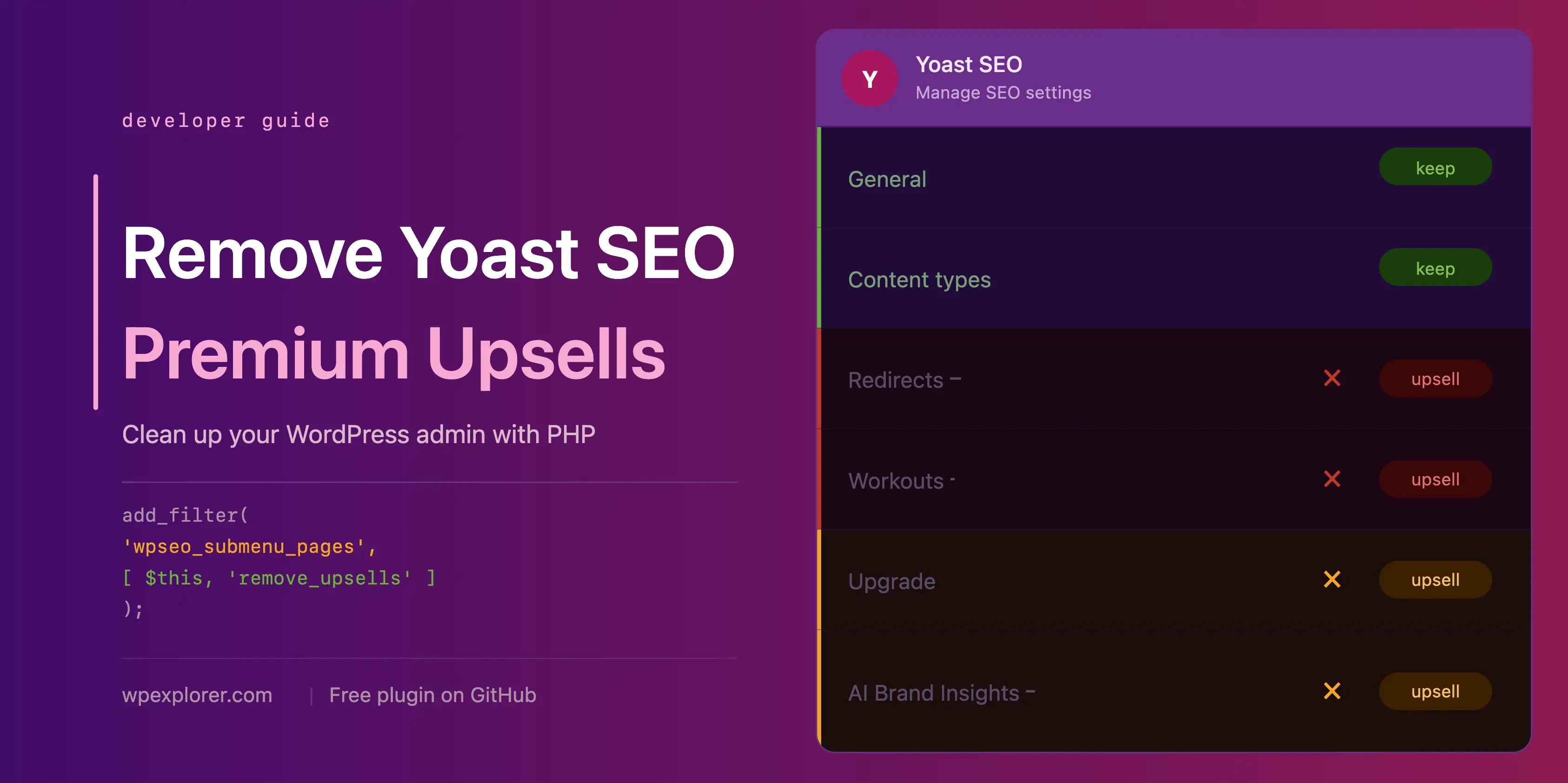
To achieve a distraction-free dashboard environment, developers typically implement custom PHP classes via child theme functions files, code snippet plugins, or Must-Use (MU) plugins. The foundational architecture relies on verifying the active status of the Yoast SEO plugin while ensuring that the code safely terminates if the user has already licensed Yoast SEO Premium. By leveraging native WordPress hooks such as wpseo_submenu_pages, admin_menu, and admin_bar_menu, administrators can programmatically intercept the registration of redundant admin pages and toolbar links.
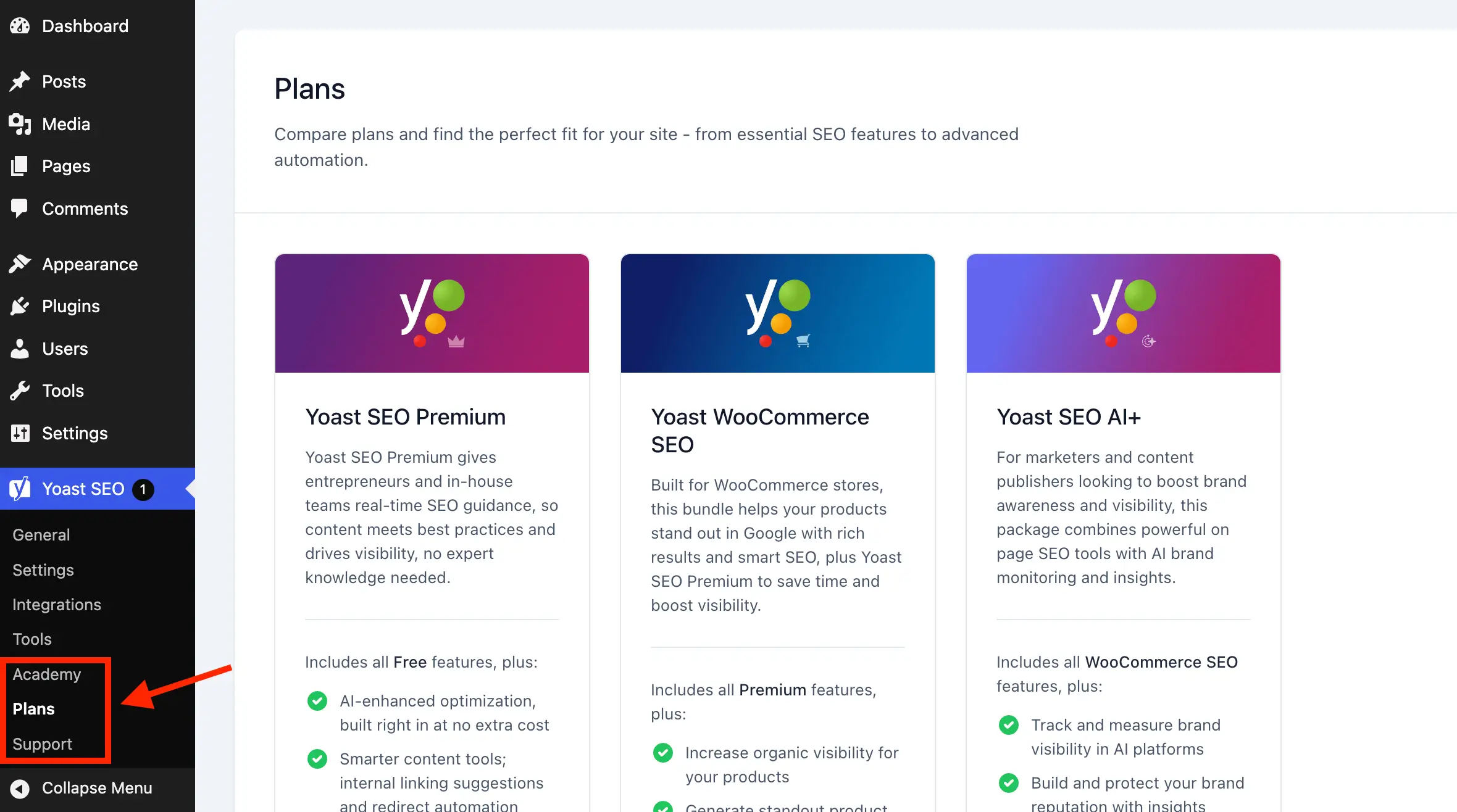
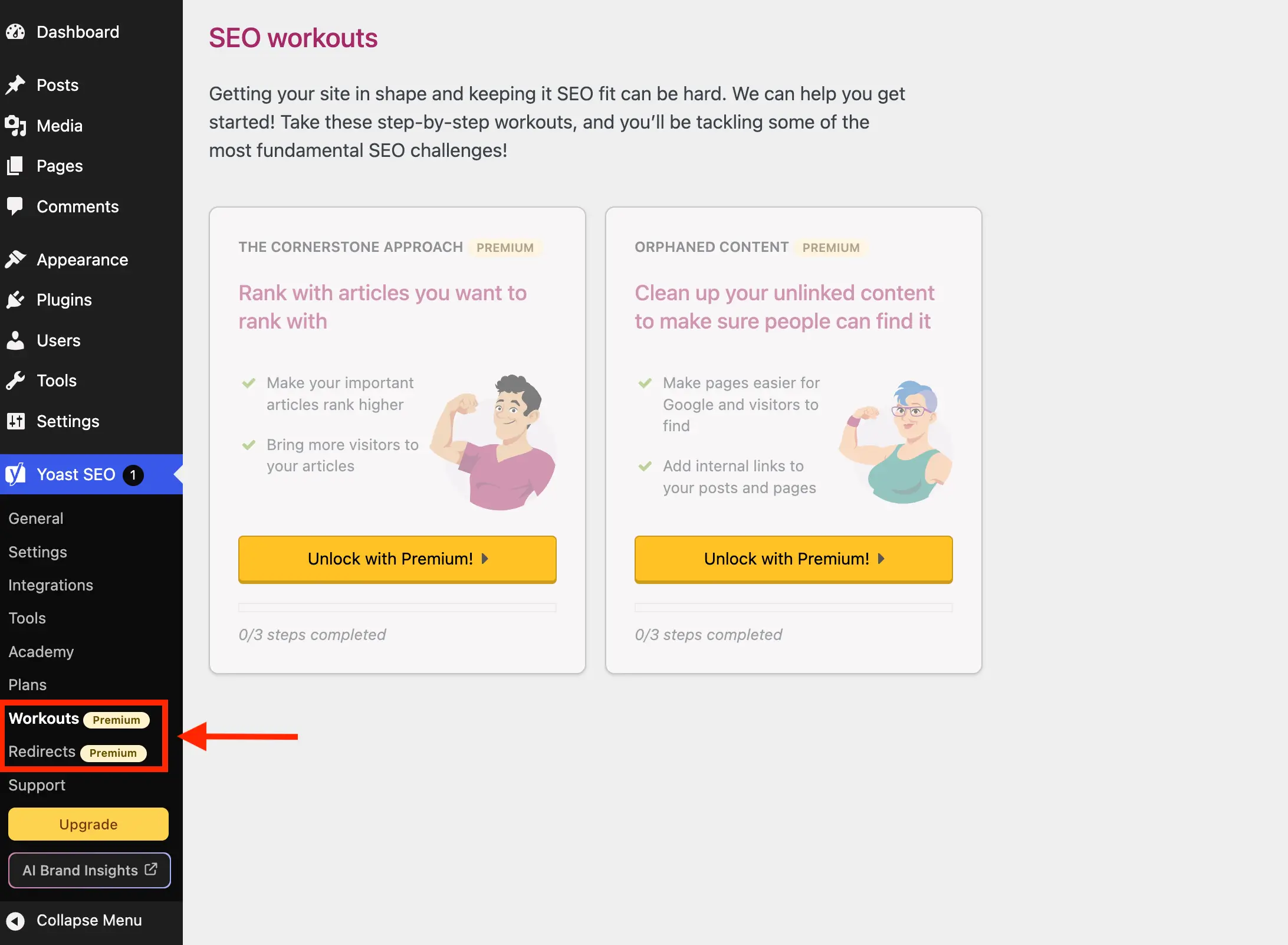
Submenu pages dedicated exclusively to product features unavailable in the free version—such as redirect managers, workout assistants, and license management screens—serve as primary targets for removal. Furthermore, administrative panels devoted to the Yoast Academy learning platform and support ticketing links can be filtered out to optimize the navigation hierarchy. By utilizing conditional logic based on specific page slugs and premium badge indicators injected into menu titles, developers can maintain a lean navigation pane that adapts to minor plugin updates.
if ( ! class_exists( 'WPEX_Remove_Yoast_SEO_Upsells' ) )

    class WPEX_Remove_Yoast_SEO_Upsells

        public function __construct()

        public function remove_premium_admin_pages( array $pages ): array
            $pages_to_remove = [
                'wpseo_upgrade_sidebar',
                'wpseo_licenses',
                'wpseo_page_academy',
                'wpseo_page_support',
                'wpseo_redirects',
                'wpseo_workouts',
            ];
            return array_filter( $pages, function( $page ) use ( $pages_to_remove )
                if ( isset( $page[2] ) && str_contains( $page[2], 'yoast-premium-badge' ) )
                    return false;

                if ( isset( $page[4] ) && in_array( $page[4], $pages_to_remove, true ) )
                    return false;

                return true;
             );


        public function remove_admin_bar_links( WP_Admin_Bar $wp_admin_bar ): void
            $wp_admin_bar->remove_node( 'wpseo-get-premium' );
            $wp_admin_bar->remove_node( 'wpseo_brand_insights' );


        public function remove_upsell_submenu_pages(): void
            remove_submenu_page( 'wpseo_dashboard', 'wpseo_brand_insights' );


        public function remove_dashboard_widget(): void
            remove_meta_box( 'wpseo-dashboard-overview', 'dashboard', 'normal' );


        public function remove_dashboard_widget_assets(): void
            $current_screen = get_current_screen();
            if ( ! ( $current_screen instanceof WP_Screen && $current_screen->id === 'dashboard' ) )
                return;

            wp_dequeue_script( 'yoast-seo-dashboard-widget' );
            wp_dequeue_style( 'yoast-seo-wp-dashboard' );
            wp_dequeue_style( 'yoast-seo-monorepo' );


        public function remove_upsells_from_admin_pages(): void
            $current_screen = get_current_screen();
            if ( ! ( $current_screen instanceof WP_Screen && str_contains( $current_screen->id, 'wpseo_' ) ) )
                return;

            $css = '
                #yoast-seo-general .yst-@container > div:last-child:has([data-action=load-nfd-ctb]),
                #yoast-seo-general .yst-min-w-[16rem]:has(>.yst-sticky),
                #yoast-seo-settings main + div:has([data-action=load-nfd-ctb]),
                #yoast-seo-settings .yst-root div[class*=yst-fixed],
                #yoast-seo-settings main section .yst-feature-upsell,
                #yoast-seo-settings main section.yst-grid:has(fieldset > .yst-space-y-8 > .yst-feature-upsell:only-child),
                #yoast-seo-settings main section.yst-grid:has(fieldset > .yst-space-y-8 > .yst-feature-upsell:only-child) + hr,
                #yoast-seo-settings main form fieldset > .yst-flex > .yst-divide-y > .yst-py-4:has(.yst-button--upsell),
                #yoast-seo-settings main fieldset.yst-group > ul > li:has([data-action=load-nfd-ctb]),
                #wpseo-integrations .yst-root section > .yst-grid > div:has([data-action=load-nfd-ctb]),
                .yst-root .yst-table-row:has(.yst-button--upsell),
                .seo_page_wpseo_tools .wpseo_content_cell .yoast_premium_upsell,
                .seo_page_wpseo_tools #sidebar-container.wpseo_content_cell  display: none !important;
            ';
            wp_register_style( 'wpex-remove-yoast-upsells', false );
            wp_enqueue_style( 'wpex-remove-yoast-upsells' );
            wp_add_inline_style( 'wpex-remove-yoast-upsells', $css );


        public function remove_upsells_from_metaboxes(): void
            $current_screen = get_current_screen();
            if ( ! ( $current_screen instanceof WP_Screen && in_array( $current_screen->base, [ 'post', 'term' ], true ) ) )
                return;

            $css = '
                .wpseo-metabox-content div:has(> button > .yst-badge--upsell),
                :is(.wpseo-metabox-content,.yoast-modal-content) .yoast-prominent-words,
                :is(.wpseo-metabox-content,#yoast-seo:seo-sidebar) .yst-root > div > button[data-id*=AIFixes],
                .wpseo-metabox-content .collapsible_content > .yst-flex:has(.yst-badge--upsell),
                .wpseo-metabox-content .collapsible_content > .yst-flex:has(.yst-badge--upsell) + hr,
                :is(.wpseo-metabox-content,.yoast-modal-content) .yst-feature-upsell--card,
                #yoast-seo:seo-sidebar .components-panel > div:has(.yst-badge--upsell),
                #premium-seo-analysis-upsell-ad-sidebar,
                #premium-seo-analysis-upsell-ad-metabox  display: none !important;
            ';
            wp_register_style( 'wpex-remove-yoast-metabox-upsells', false );
            wp_enqueue_style( 'wpex-remove-yoast-metabox-upsells' );
            wp_add_inline_style( 'wpex-remove-yoast-metabox-upsells', $css );


    new WPEX_Remove_Yoast_SEO_Upsells;
Mitigating External HTTP Requests and Performance Overhead
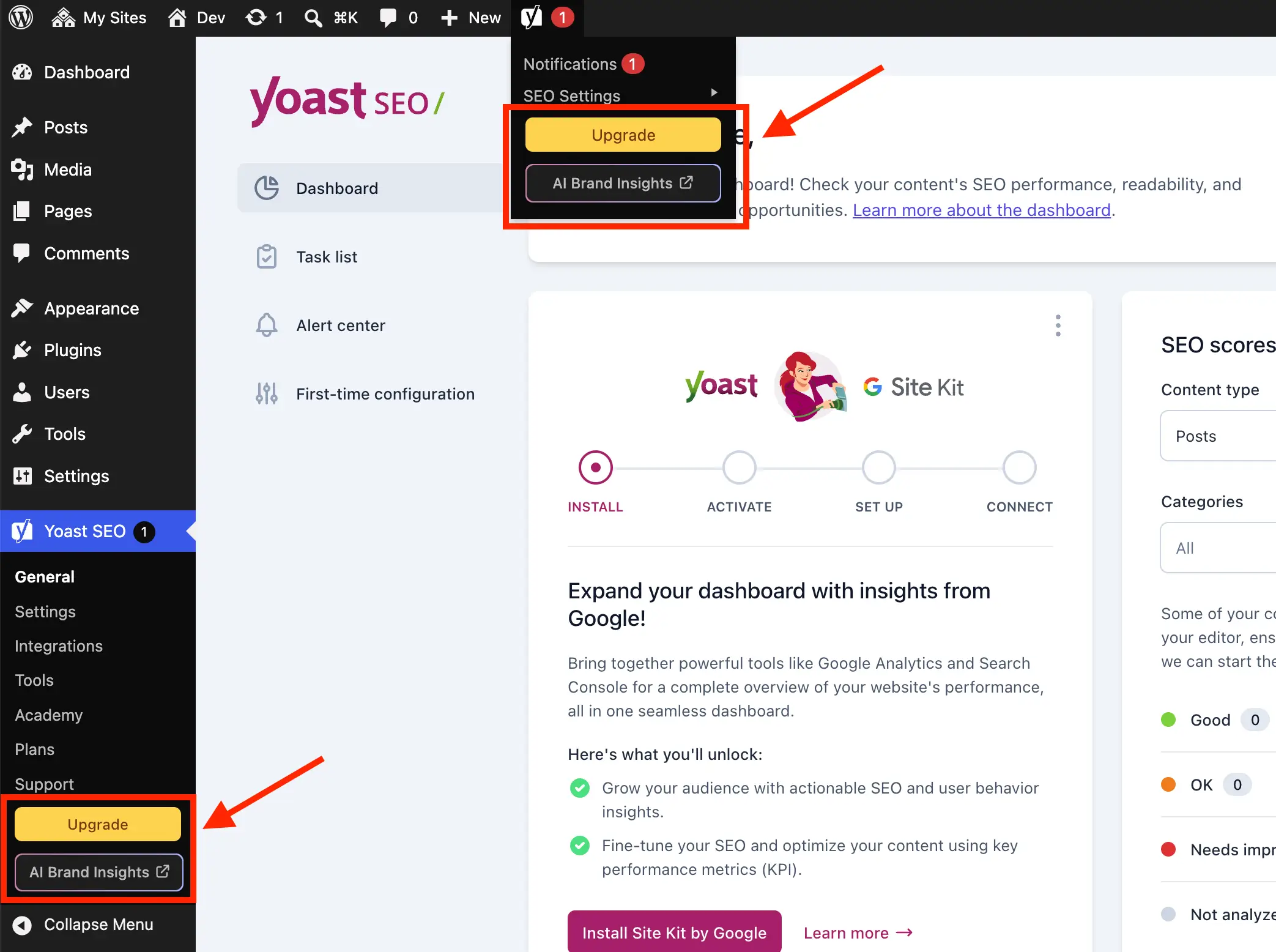
Beyond visual clutter, certain default administrative elements introduce technical overhead that can impact site performance. The native Yoast SEO dashboard widget, for instance, executes an uncached HTTP request to yoast.com/feed/widget/ upon every access to the main administrative dashboard. This recurring remote data fetch transmits environment parameters—specifically the active WordPress core version and PHP runtime version—to external servers with each page load.
From an infrastructure and security standpoint, transmitting server version telemetry to third-party endpoints without direct operational necessity is viewed cautiously by security auditors. Furthermore, rendering remote RSS feeds inside the administrative dashboard introduces potential latency points if the target remote server experiences downtime or slow response times. Removing the dashboard meta box via remove_meta_box and dequeuing associated scripts and styles (yoast-seo-dashboard-widget, yoast-seo-wp-dashboard, and yoast-seo-monorepo) successfully isolates the WordPress environment from these external dependencies.
Targeting Dynamic JavaScript Components and Locked Fieldsets
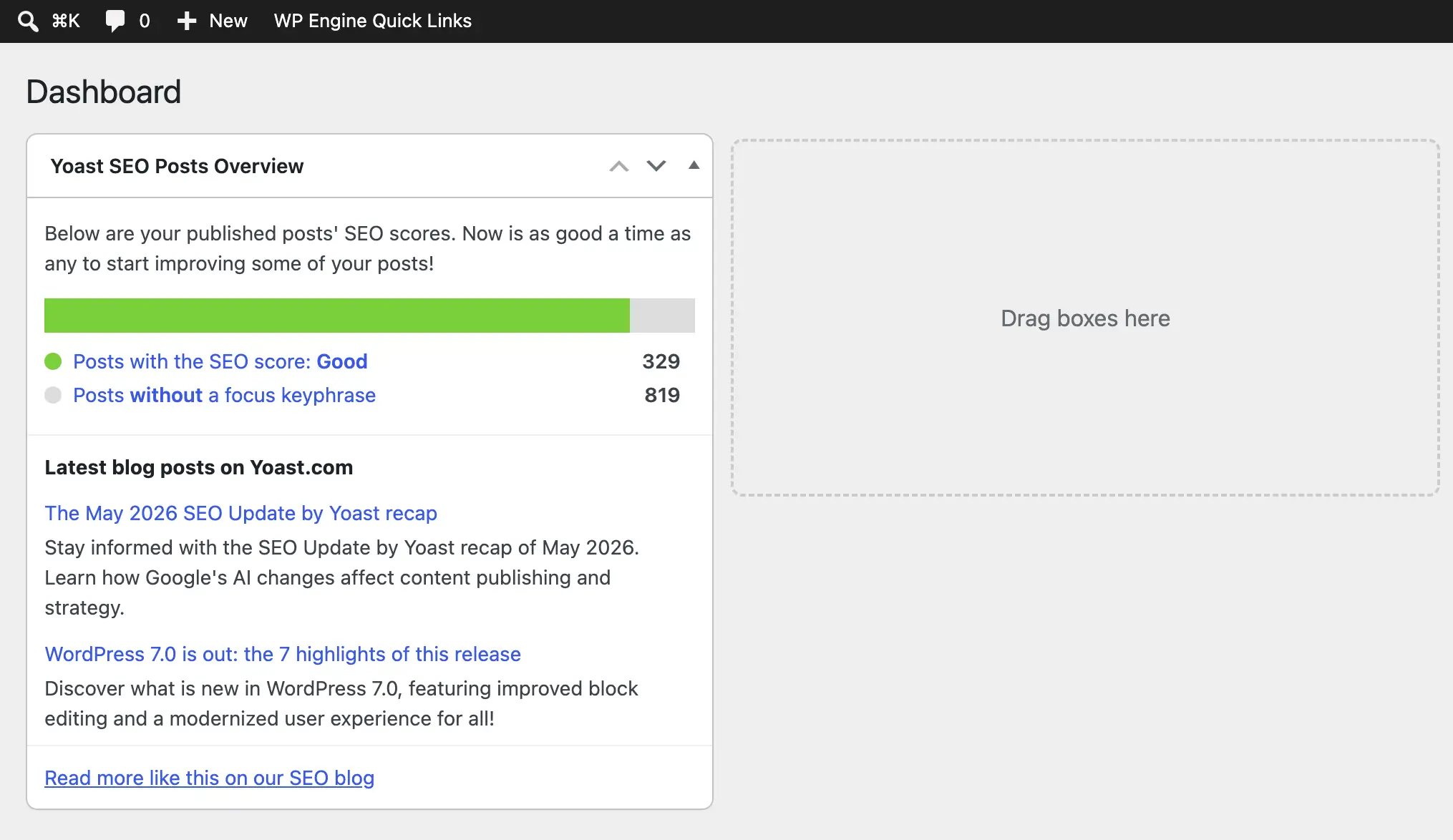
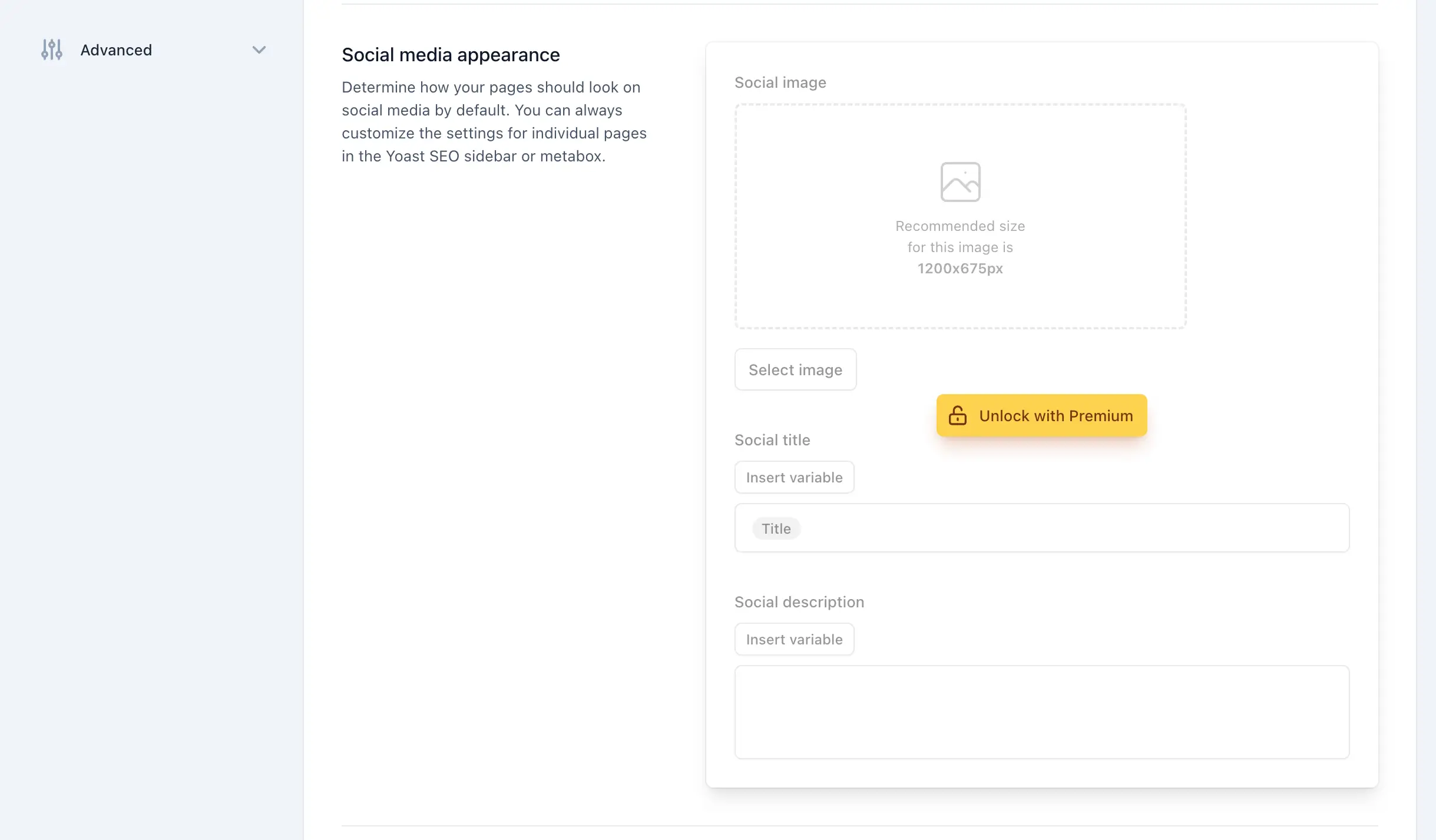
Because modern iterations of Yoast SEO heavily utilize JavaScript frameworks for rendering administrative settings and post editor metaboxes, traditional PHP-level filtering is insufficient for removing all promotional content. Elements such as the sticky sidebar upgrade prompts, integration upsell cards, and locked feature fieldsets are dynamically injected into the DOM. Consequently, administrators must employ targeted CSS injection via inline styles registered on specific admin screens.
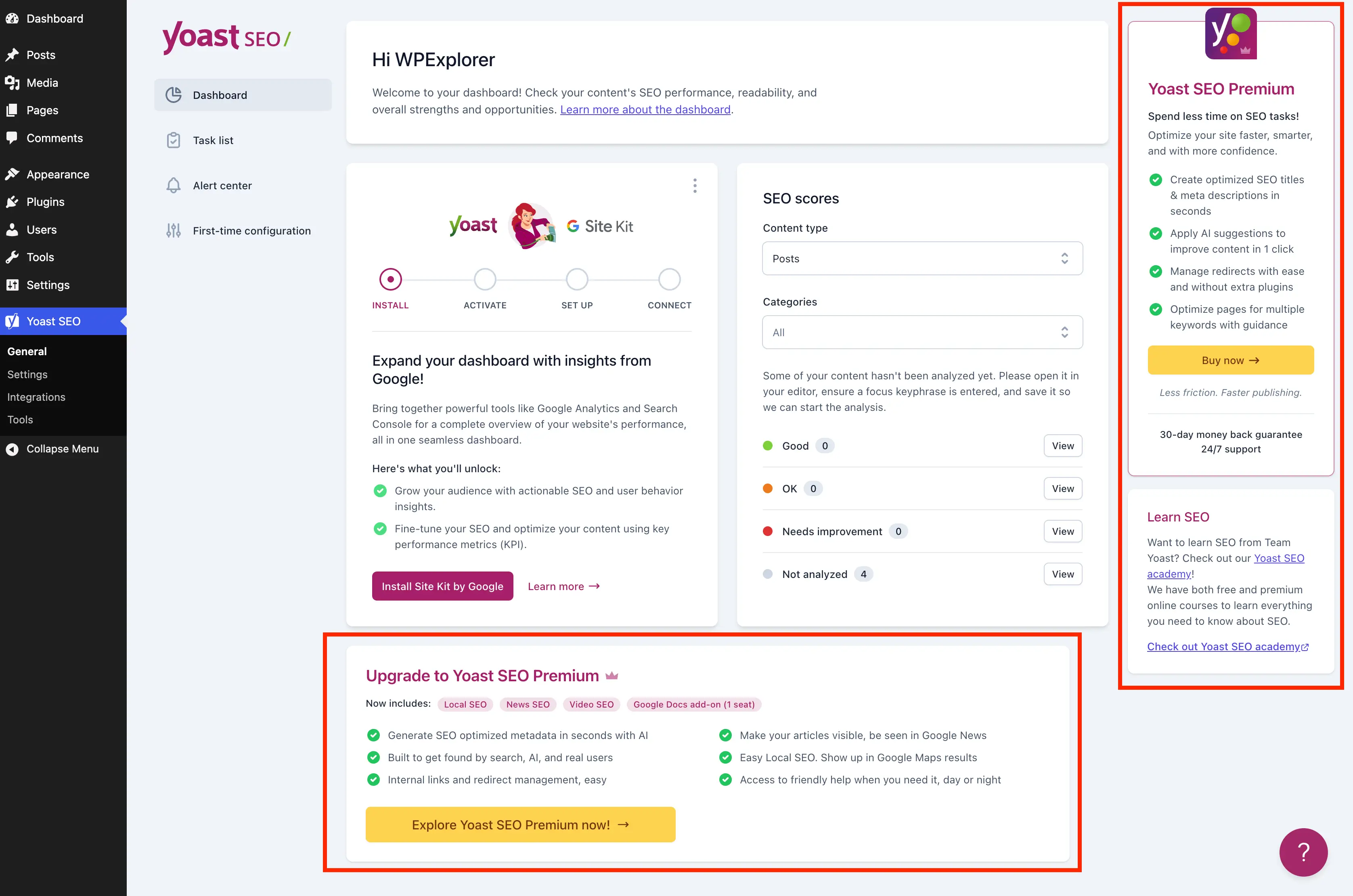
Precision CSS selectors allow developers to hide elements based on structural positioning, attribute matching (such as [data-action=load-nfd-ctb]), and specific class definitions like yst-feature-upsell and yst-button--upsell. By scoping these styles exclusively to designated screen IDs—such as wpseo_ settings pages and post/term editing screens—administrators ensure that the rules do not conflict with other dashboard interfaces. However, because these styling rules rely on internal class names and DOM structures implemented by the plugin vendor, minor maintenance reviews are recommended following major plugin version releases.
Implications for Agency Workflows and Client Management
The implementation of administrative customization scripts carries notable implications for digital agencies and freelance developers maintaining large inventories of WordPress sites. Standardizing the administrative interface across client projects reduces user friction, lowers support ticket volume related to accidental purchase attempts or user confusion, and reinforces professional branding. When clients log in to publish content, their primary view is centered on the Block Editor or classic editor panels rather than persistent upgrade banners.
At the same time, reliance on custom code snippets mandates rigorous version control and deployment protocols. Agencies must verify that their optimization scripts are regularly audited against updates from major SEO plugin providers. While purchasing commercial licenses remains the most fully supported and functionally comprehensive method for unlocking advanced features and removing administrative notices, programmatic cleanup offers a viable, highly customizable alternative for environments operating strictly within the free software ecosystem.